
Migration from Traditional Warehouses to Databricks Lakehouse Platform
For years, Traditional data warehouses have been used by organizations to store and analyze structured data. They’ve helped generate reliable reports, power dashboards, and support decision-making based on historical trends. However, the world today has changed. Businesses today are dealing with massive amounts of increasingly varied data from real-time social media feeds, event logs, sensor logs, sensor data, video, and unstructured text. Despite the strengths of these traditional systems, they are not designed for this level of complexity. They require heavy ETL processes, struggle with unstructured data, and in many cases restrict organizations from utilizing any modern use cases such as machine learning and real-time analytics. This is where Databricks lakehouse plays a major role. With its Lakehouse architecture, it combines the flexibility of data lakes with reliability of traditional data warehouses. Databricks lakehouse is built on Delta Lake and Apache Spark, it lets teams store all types of data in one place, work with it in real time, and run everything from simple reports to advanced Al models all of this is possible without creating data silos or duplication. Why Traditional Data Warehouses Are No Longer Enough A traditional data warehouse is a central system where all the business data is integrated including sales records, customer information, inventory logs, and etc collected from different tools and departments. The primary goal of this warehouse is to make it easier for teams to run reports, spot trends, and make data-driven decisions. Traditional Data Warehouses are usually hosted on-premises, which requires setting server rooms, purchasing hardware, and hiring IT staff to maintain and manage everything. While this setup gave businesses control over their data, but it also required significant time, resources, and effort to scale or upgrade. However, with growing data there are certain limitations that impact the functioning of businesses. In the Modern era of the developing world, every organization is looking to use the data and generate the reports, looking to unlock real-time insights, and personalize customer experiences, Additionally, the demand for enabling predictive analytics through AI and machine learning is also increasing. This shift has introduced several new demands: Limitations of Traditional Warehouses: While Traditional warehouses have been served businesses many decades, their architecture and design are increasingly becoming outdated in today’s fast-paced, data-intensive environment. Here are some limitations The Rise of Modern Data Solutions: Databricks Lakehouse Platform As the data continues to grow in 3V’s i.e. Volume, Variety and Velocity, the organization need solutions that are not available in the Traditional Data Warehouse. Hence, cloud-native platforms like Databricks have emerged to meet evolving needs, enabling faster insights, scalable processing and unified data workflows. Key Components and Features: Why Databricks Lakehouse Platform? As businesses generate more data than ever before, they need platforms that are scalable, flexible, and efficient. Traditional data systems often offer limited scalability, excessive costs to maintain, and rigid infrastructure. Databricks Lakehouse is a great alternative that is capable of handling the complexities of modern data processing. Here’s why organizations are turning to Databricks Lakehouse: 1. Scalability and Flexibility Databricks Lakehouse is built for the cloud. Its cloud-native architecture allows organizations to dynamically scale their data workloads based on demand. With auto-scaling clusters, elastic compute resources, pay-as-you-go pricing, and other features, teams can achieve performance and manage cost predictions. 2. Solving the Limits of Traditional Data Warehouses Traditional data warehouses often fall short when it comes to scaling and managing modern data volumes. They can be expensive to maintain and aren’t always designed for real-time processing. Databricks Lakehouse addresses these issues by offering a unified platform that supports both batch and real-time analytics. This helps teams get faster insights, reduces complexity, and allows them to focus on generating value from data rather than managing infrastructure. 3. Advanced Analytics and Machine Learning The biggest distinction for Databricks is they support advanced analytics and machine learning (ML) inherently. It is a natural integration with common ML frameworks and allows data science teams to leverage large datasets and build models while thinking through your innovation much faster. The Role of Databricks Lakehouse in Modern Data Architectures Databricks Lakehouse plays a key role in today’s complex data architectures, especially with its support of the Lakehouse architecture which combines data lakes and data warehouses using the best of both. Key Contributions of Databricks: Unified Platform: Databricks Lakehouse offers a unified platform that integrates data engineering, data science and analytics within an end-to-end environment that eliminates data silos and enables collaboration across teams. Lakehouse Architecture: By unifying the flexibility and scale of data lakes and the reliability and performance of data warehouses (via Delta Lake), Databricks provides one architecture that serves as the source of truth for all data workloads. Multiple Workloads: Databricks Lakehouse is architected to support all types of workloads, from real-time data streaming to batch ETL, and from business intelligence dashboards to complex machine learning models, all in one single, integrated platform. Cloud-native and able to scale: Databricks Lakehouse is designed for the cloud and enables organizations to scale their resources up or down as necessary. The architecture of Databricks is optimized for performance as well as cost, making it well aligned to any organization’s cloud-first strategy. Open and Interoperable: Databricks lakehouse runs on a rich ecosystem of open-source technologies, including Apache Spark, Delta Lake, and MLflow. It leverages all of the major cloud providers and tools, allowing for maximum flexibility without vendor lock-in. With businesses advancing towards a data-driven reality the weaknesses of the traditional data warehouses become clearer. They can no longer afford to stagnate and migrate to a modern data platform like Databricks is no longer just an option, but the best way to scale their business in this competitive landscape. The Challenges with Scaling Traditional Data Warehouses With the data-driven world moving quickly, the growth of data is limitless. Storing this data without any downtime is crucial for businesses. Traditional data warehouses have difficulty providing a service for fast-needs for massive growth. While, Databricks lakehouse is efficient in successfully storing and processing data elasticity. This
Building a Web-Based Behavioral Health Platform for Teen Wellness

The client is an innovative EdTech company providing digital mental health solutions for teens, with structured programs focused on behavioral and emotional wellness. Their reliance on manual Google forms restricted scalability, personalization, and real-time behavior tracking across schools. They needed a secure, centralized platform to streamline workflows, engage students, and empower behavioral navigators. Client: EdTech Services: App Development Year: 2025 Project Objectives Technology Stack Solution & Implementation We built a scalable, behavioral health platform tailored for educational settings. Benefits
Why Hybrid Rendering Is the Future of Modern Web Development

What You’ll Learn Web development has evolved over the years right from server-rendered pages to SPAs and now toward smarter, hybrid approaches. The entire focus of the modern web development is on combining the interactivity of Single Page Applications (SPA) with the performance and discoverability benefits of Server-Side Rendering (SSR). What Is Hybrid Rendering in Modern Web Development? With evolving frameworks and user experiences, hybrid rendering is becoming the go-to strategy for developers who want to build scalable, fast, and user-centric digital experiences. Before we know the power of Hybrid rendering in modern web development, it is necessary to know how we ended up here. Every step-in web development had its own strengths and weaknesses defining the choices we make today regarding performance, architecture, and user experience. The Evolution of Rendering in Modern Web Development 2000s — The Decade of Server-Rendered Pages In the early 2000s, web pages were fully rendered on the server by using technologies such as ASP, JSP, and PHP. The logic was tightly bound with backend servers. These applications used to run fast and were simple but handling was a strict process. Slight changes also required a round-trip to the server. With the changes in the web, the demand for dynamic and interactive websites increased gradually. 2010s — The SPA Boom To meet the demand multiple frameworks such as Angular, React, and Vue, Single Page Applications (SPAs) took over. These apps shifted all rendering to the browser, enabling quick and highly interactive experiences. Just with a click of a button the app updated instantly without the need of refreshing the page. However, there were some issues such as- Despite the above limitations SPAs are an amazing choice for admin dashboards, internal tools, and apps where SEO isn’t a priority. 2020s — The Rise of Smart SSR & Hybrids Today’s frameworks offer a best-of-both-worlds approach. Tools like Next.js, React Remix, Angular Universal, and SvelteKit have brought back server-side rendering and made it smarter, faster and more flexible. These next-gen web frameworks offer multiple benefits- But how do you decide if its SPA or SSR? Comparison of Rendering Techniques Rendering Type Benefits Ideal For SPA Fast interactions, client-side routing Dashboards, admin tools SSR SEO-friendly, fast first paint Landing pages, blogs Hybrid Combines both, flexible Most modern web apps Sparity’s Approach: Strategic Use of SPA and SSR in Modern Web Development The first rule of web development at Sparity is to evaluate the need of businesses. After which the target audience, and the client’s product is evaluated before making a decision. Hybrid Rendering in Modern Web Development: SPA: When Speed & Interactivity Rule We use SPAs for parts of applications that require: For example, SPA can be used easily for admin panel where the team manages users, views analytics, or configures app settings. Benefits of SPA in Admin Modules: Ideal for: SSR: When SEO and Performance Matter If your business is focused on customer-facing applications, then discoverability and load time are crucial. SSR frameworks like Next.js or React Remix allow us to pre-render pages, load data at the route level, and reduce the waterfall effect seen in SPAs. A key goal of modern web development is web performance optimization. Ideal for: Why startups love this: What Makes Modern SSR So Powerful? React Remix The key benefit of React Remix is that data is fetched concurrently and in parallel on the server, across all the nested routes that are part of the current navigation. This design eliminates the common problem of API waterfalls, where one API call has to complete before the next one can even begin. By loading all the needed data in a single call, Remix guarantees that when the client gets the HTML, it’s already filled with the data, leading to lightning-fast first page loads and smooth transitions without any waiting on the client or loading spinners. This benefits user experience and perceived performance. Next.js Next.js is often suitable for startups since it supports: This flexibility means your app doesn’t need to choose between static and dynamic as it can opt for both depending on the page. Ideal for: Frameworks That Power Hybrid Rendering Feature Description SSG Build-time static pages SSR Server-rendered on request ISR Incremental static regeneration for hybrid use Hybrid Rendering Mix of SSR, SSG, and client-side rendering Angular Universal For Angular-based apps, Angular Universal allows pre-rendering without overhauling your app structure. You keep the Angular ecosystem while gaining SEO and speed benefits. WebAssembly (WASM): Redefining the Modern Browser What is WebAssembly? As modern web development stretches the limits of what’s possible in the browser, WebAssembly (WASM) is emerging as a game-changer. WASM is a low-level binary format designed to run code at near-native speed right within the browser. While traditional JavaScript cannot do this, WASM enables developers to execute code in languages like C++, Rust, Go, and .NET directly in the browser without compromising performance. Why does this matter for hybrid rendering? WASM unlocks powerful, compute-intensive functionality such as video editing, real-time gaming, CAD tools, and image processing all within the browser. You can now develop high-performance, app-like experiences without compromising the reach and flexibility of the web. Tools like Blazor WebAssembly let developers write full-stack .NET apps that execute client-side with native performance and contemporary UX without having to make trade-offs between speed and scale. WASM doesn’t replace JavaScript it enhances it. It enables JavaScript-optional apps that deliver more, load faster, and redefine the possibilities of today’s web apps. As hybrid rendering continues to evolve, WASM guarantees that even the most intensive aspects of your app execute seamlessly in the browser, delivering faster, richer, and more immersive user experiences. Use Cases Where WASM Shines 1. Performance-Intensive Web Applications Video/audio processing: Web-based video editors, background noise removal, real-time audio effects. Figma uses WebAssembly to power its high-performance canvas Adobe Express and Clipchamp rely on WASM for web-based video editing Image editing and manipulation: Cropping, filtering, resizing without backend round-trips e.g., Figma uses WASM for its high-performance canvas engine 2. Simulations / Data Visualizations
Not All CMS Platforms Are Created Equal: A Strategic Guide to Choosing the Right One for Your Business

Introduction In a digital-first world today, content is currency and how it is handled is key to business success. Whether you are creating a website, putting a digital product to market, or operating an e-commerce store, your content management system (CMS) is instrumental in defining the user experience, driving engagement, and growing the business. Not all CMS are same because each has its strengths, weaknesses, and optimal use case. Strategic decision is to be done decision based on your business objectives, technical organization, and customer experience needs to select the right CMS. Let’s have a look at the most widely used CMS platforms and how they meet specific business requirements. WordPress – The Go-To for Speed and Simplicity WordPress powers over 40% of websites across the world. It’s an open-source platform that’s easy to use, provides flexibility, and supported by a massive plugin ecosystem. Whether you are running a blog, launching a company site, or building a content-rich portal, WordPress offers a fast, budget-friendly route to getting online. Key strengths: Best for: Considerations: Strapi – Headless CMS for Frontend Freedom Strapi is a headless CMS designed for developers. It’s API-first, so the frontend isn’t tied to the backend. This means you’re totally independent to use whatever frontend framework (React, Vue, Angular, etc.) and deliver content to websites, mobile applications, IoT devices, and more. Key strengths: Best for: Considerations: If you need frontend flexibility and API-first delivery then choose Strapi. Magento (Adobe Commerce) – E-Commerce Powerhouse Magento is an in-depth e-commerce solution developed for businesses that require strong product management, sophisticated pricing rules, adaptive checkout, and heavy customization. It is scalable and well-suited for medium to large online stores. Key strengths: Best for: Considerations: Magento is ideal for complex e-commerce needs where scalability and features are critical. Optimizely – Personalization and Performance Optimization Optimizely is originally called Episerver, it integrates a CMS with enterprise-level experimentation, A/B testing, and personalization capabilities. Optimizely is an enterprise-level platform aimed at assisting marketers in delivering personalized experiences and optimizing performance with data. Key strengths: Best for: Considerations: Optimizely is mostly used when personalization and performance marketing are top priorities. Kentico – Enterprise CMS with Low-Code Flexibility Kentico is a .NET CMS that’s perfect for companies already operating in the Microsoft ecosystem. It provides deep integrations, marketing automation, and low-code development capabilities, and this makes it easy for developers and marketers alike. Key strengths: Best for: Considerations: Kentico is a strong choice for enterprises that require a .NET-based CMS with marketing features. Sitefinity – Marketer-Friendly .NET CMS Similarly based on .NET, Sitefinity focuses on user experience and productivity. It provides drag-and-drop content management, personalization, and high extensibility. With marketer-focused UI, it allows for fast site updates without the need of input from the developer. Key strengths: Best for: Considerations: Choose Sitefinity if you’re deep into the Microsoft stack and need marketing-ready tools. What Most Guides Don’t Tell: It’s Not About “Headless vs Traditional” Many CMS comparisons try to frame the choice as headless vs traditional, or content vs commerce. But in real-world projects, the decision is rarely that easy. You often need a blend of capabilities, including: Here composable architecture comes into play. Composable Architecture: The Modern Approach At Sparity, we help our clients move from “one-size-fits-all” CMS decisions. Instead, we guide them toward composable digital ecosystems—where best-in-class tools are integrated seamlessly. For example: This setup offers the freedom, performance, and scalability required for future-proof digital growth. Composable architecture allows you to: It’s not just a tech stack. It’s a digital strategy. Choose Strategy Over Flash The CMS marketplace is congested, and it’s simple to get distracted by shiny new features or current trends. But the best CMS is the one that fits with your business objectives, the abilities of your team, and your growth strategy. Take the time to: Whichever you’re building—a basic blog or a multi-touch digital commerce experiencethe proper CMS (or set of CMS platforms) is essential. We at Sparity help companies develop the right combination of content, commerce, and customer experience tools—composing digital solutions that scale and deliver. Let’s build the right foundation for your digital future. Need help choosing the right CMS or building a composable solution? Reach out to our team today.
Modernizing Healthcare Claims Processing with Scalable, Event-Driven Architecture

Project Objectives Technologies Used Solution & Implementation Outcomes
Mastering ASP.NET Core 20 Key Features You Can’t Afford to Miss

Introduction ASP.NET Core has become a cornerstone for modern web development, offering a powerful, flexible, and efficient framework that empowers developers to create high-performance web applications. ASP.NET Core stands out as a leader in the industry. Whether you’re building microservices, enterprise-level applications, or lightweight APIs, ASP.NET Core provides the tools you need to succeed. In this blog, we’ll explore 20 key features of ASP.NET Core that you can’t afford to miss, highlighting why this framework continues to be a top choice for developers around the globe. ASP.NET Core ASP.NET Core is a modern, open-source framework developed by Microsoft for building web applications, APIs, and microservices. It represents a significant evolution from the traditional ASP.NET framework, offering cross-platform capabilities that allow developers to build and run applications on Windows, macOS, and Linux. With its modular design, high performance, and flexibility, ASP .Net Core has quickly become the go-to choice for developers seeking to create scalable and efficient web solutions. Cross-Platform Flexibility ASP .Net Core is designed to be cross-platform, allowing you to build and run apps on Windows, macOS, and Linux. This flexibility is a significant shift from the older ASP.NET framework, which was tied to Windows. Minimal APIs Introduced in .NET 6, Minimal APIs allow developers to create simple HTTP APIs with minimal code, without the need for the usual MVC or Web API setup. It’s perfect for microservices or lightweight applications. Dependency Injection Built-In ASP.NET Core comes with built-in dependency injection (DI) support, making it easier to manage and inject dependencies throughout the application. You don’t need a third-party library to implement DI. Middleware Pipeline The request-processing pipeline in ASP .Net Core is made up of middleware components. You can create custom middleware to handle requests in a modular fashion, which allows for greater control over how requests are processed. Unified Programming Model ASP.NET Core unifies the MVC and Web API frameworks into a single programming model, eliminating the need to choose between them and providing a consistent approach to building web applications. Configuration System It has a flexible configuration system that supports a variety of formats (JSON, XML, INI, environment variables) and allows for hierarchical configuration, making it easier to manage settings in different environments. Razor Pages Razor Pages is a newer feature in ASP.NET Core that simplifies page-focused web applications. It follows a more page-centric approach, making it easier for developers familiar with web forms or traditional web development. Health Checks ASP.NET Core includes built-in support for health checks, which allow you to monitor the health of an application and its dependencies. This is particularly useful for microservices or containerized applications. Global Tools ASP.NET Core supports global tools, which are .NET CLI tools that can be installed and used globally on system. These tools can be used for a variety of tasks, such as code generation, database migrations, and more. Kestrel Web Server ASP .Net Core uses Kestrel as its default web server, which is a cross-platform, high-performance, and lightweight server. Kestrel can handle large numbers of requests efficiently, and you can also run it behind a reverse proxy like IIS, Nginx, or Apache for additional security and scalability. Hybrid Serialization with System.Text.Json ASP.NET Core primarily uses System.Text.Json for JSON serialization, but you can mix it with Newtonsoft.Json for specific cases by using custom converters or using both libraries side-by-side in the same project. HTTP/2 Support with gRPC ASP .Net Core supports gRPC, a high-performance, open-source RPC framework that uses HTTP/2. This is particularly useful for microservices, offering advantages like smaller message sizes and built-in error handling. WebAssembly and Blazor While Blazor is well-known, the ability to run .NET code directly in the browser via Web Assembly is a unique feature that isn’t as widely recognized. It allows you to write client-side logic in C# rather than JavaScript. Configuration Reloading on Change The configuration system in ASP.NET Core can automatically reload settings if the underlying configuration file (e.g., appsettings.json) changes, without requiring an application restart. Precompiled Views ASP.NET Core supports precompiling Razor views, which can improve startup time and prevent runtime errors in view files. This is especially useful for production environments. Global Exception Handling Middleware You can create a custom middleware to handle all unhandled exceptions globally, providing a central place for logging and error responses, which simplifies error handling across the application. Enhanced Localization ASP.NET Core has powerful localization and globalization features that go beyond basic translations, allowing for custom culture providers and dynamic resource management, which is handy for multi-lingual applications. Endpoint Routing and Versioning ASP.NET Core supports endpoint routing, which provides more flexibility in defining routes. Coupled with API versioning, it allows for easier management of multiple versions of an API within the same application. Built-in SignalR for Real-Time Communication SignalR is included in ASP.NET Core for real-time communication, such as chat applications, live updates, and notifications. It seamlessly integrates with ASP.NET Core, supporting WebSockets and other transport methods. Feature Flags with Feature Management ASP.NET Core supports feature management via Microsoft Feature Management, which allows you to enable or disable features at runtime, making it easier to manage features in production without redeploying the application. Conclusion ASP.NET Core’s rich set of features makes it an ideal choice for developers looking to build scalable, secure, and high-performance web applications. From its cross-platform flexibility and minimal APIs to advanced features like real-time communication with Signal and feature management, ASP.NET Core provides a comprehensive toolkit that caters to a wide range of development needs. By leveraging these key features, we can enhance application’s efficiency, maintainability, and overall user experience. As web development continues to evolve, mastering ASP.NET Core will keep you ahead of the curve, ensuring applications are future-proof and ready to meet the demands. Why Sparity? At Sparity, we understand the importance of leveraging the best technologies to deliver top-tier solutions. Our expertise in ASP.NET Core allows us to build robust, scalable, and high-performance web applications tailored to meet unique needs. Whether you’re looking to migrate to ASP.NET Core, optimize existing applications, or develop
Transforming Taxation Analysis for an Australian Retail Giant with Power BI

Client Challenges Retail and Wholesale Tax: Managing different tax rates, a variety of taxes, and regulations for retail and wholesale products.Employee Taxation: Handling payroll taxes for a large number of employees across various locations.Approved Tax Insights and Pending Litigation: The finance department struggled with gaining clear insights into approved taxes and pending litigation, leading to delays and financial issues.Lack of Real-Time Data Integration: The client’s existing systems could not integrate real-time data, making it difficult to maintain accurate and up-to-date tax records.Inefficient Tax Analysis and Reporting: The lack of a unified view of tax data caused inefficiencies in tax analysis and reporting processes, resulting in delays and potential compliance issues. Technologies Our Solution Data Cleaning Procedures: Implemented advanced raw data cleaning techniques to ensure that all tax data was accurate standardized and normalized before integration.Real-Time Data Integration: Utilized Power BI‘s capabilities to connect to various data sources, enabling real-time data integration and ensuring that tax information was always up-to-date.Data Transformation: Employed Power Query to transform raw data into structured formats suitable for analysis.Retail and Wholesale Tax Dashboards: Created detailed dashboards using Power BI to monitor tax obligations, payments, and compliance for various diverse products.Employee Taxation Dashboards: Developed dashboards that provided real-time insights into payroll taxes, ensuring compliance and timely payments.Tax Reports and Insights: Generated automated tax reports and insights, allowing the finance team to quickly access and analyze tax data.Approved Tax Insights: Provided clear and detailed insights into approved taxes, helping the finance team make informed decisions.Litigation Tracking: Implemented solutions within Power BI to track pending litigation cases, offering a comprehensive view of potential financial impacts and helping to mitigate risks. Benefits Improved Compliance and Accuracy: Reduced tax-related errors by 35% and penalties by 30%, while increasing reporting accuracy.Enhanced Efficiency: Halved the time required for tax analysis and reporting, boosting productivity by 30% and cutting data processing time from 5 hours to just 1 hour per week.Better Decision-Making: Accelerated financial decision-making speed by 25% and improved accuracy in financial forecasting by 30%.Effective Risk Mitigation: Decreased potential financial impact from pending litigation by 15% and enhanced risk management, reducing overall risk by 20%.Streamlined Processes: Automated data refresh and report generation reduced manual efforts, enabling the finance team to complete strategic projects 25% faster.
Transforming Healthcare’s Digital Presence with Webflow
Client Challenges Outdated Design: The old website had an outdated look and feel, which did not reflect the modern, innovative nature of the healthcare provider. Poor User Experience: Navigation was cumbersome, and patients found it difficult to find information and access services. Lack of Mobile Responsiveness: The website was not optimized for mobile devices, leading to a subpar experience for users on smartphones and tablets. Limited Content Management: Updating content was a complex process that required technical expertise, making it difficult for the healthcare provider to keep the website current. Technologies Our Solution Sparity addressed these challenges by leveraging Webflow’s capabilities to deliver a dynamic and responsive website. Modern Design: We crafted a sleek design that aligns with the healthcare provider’s brand and mission. The design emphasized easy accessibility, ensuring patients of all ages could use it seamlessly. Enhanced User Experience: The new website features an intuitive layout with clear navigation, making it simple for users to find information, book appointments, and access resources. Mobile Optimization: Using Webflow, we ensured the website is fully responsive, providing an optimal experience on all devices, including desktops, tablets, and smartphones. Streamlined Content Management: Webflow’s user-friendly CMS allows the healthcare provider to easily update content without needing technical skills, ensuring the website remains up-to-date with the latest information and services. Custom Code Integration: Sparity integrated custom Java and HTML code within Webflow to enhance functionality and provide tailored features that meet the specific needs of the healthcare provider. Seamless Transition: We ensured that the transition to the new Webflow website did not disrupt existing URLs, domain, or the overall website structure, maintaining continuity for users and search engines. API Integration: We connected APIs to automate workflows, such as capturing patient data and synchronizing it with backend systems, improving efficiency and reducing manual tasks. Benefits Increased Patient Engagement: The improved design and functionality increased patient engagement and satisfaction. Higher Conversion Rates: Simplified appointment booking and information access resulted in increased conversions and more appointments scheduled online. Reduced Maintenance Costs: The user-friendly CMS reduced the need for ongoing technical support, lowering maintenance costs.
Streamlining Corporate MNC Website with a Drupal to WordPress VIP Migration
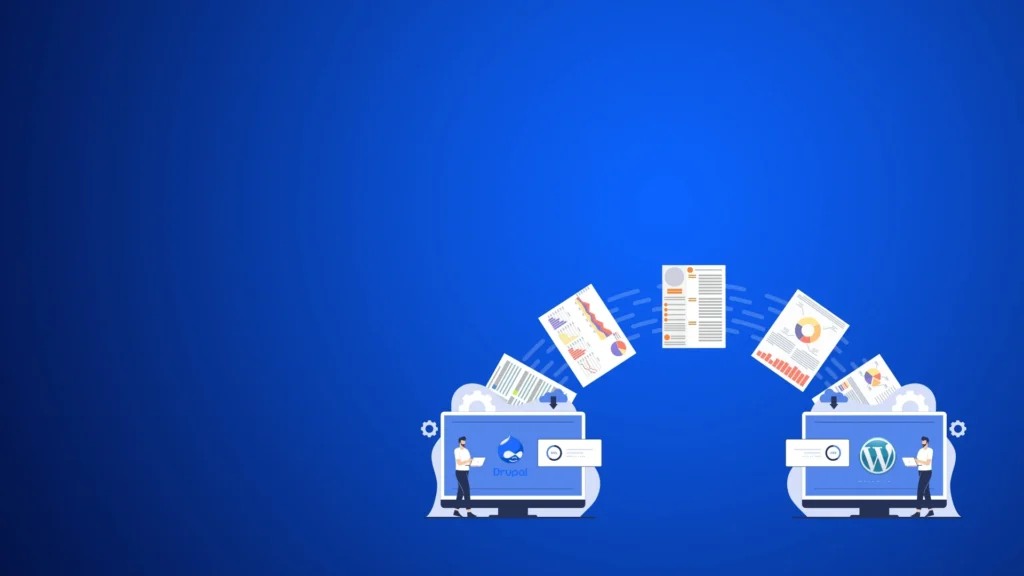
Client Challenges Drupal’s outdated features allowed for no content customization.Low site speeds due to high traffic and scalability were challenging, increasing the financial burden on paying for developers.Frequent security patches slowed down the CMS, making handling large amounts of content and media files. Technologies Our Solution Thoroughly assessed Drupal data structure, including considerations for headless CMS implementation, and mapped content to WordPress VIP.Utilized custom scripts for accurate content transfer, ensuring formatting and metadata integrity, including customer data, media files, and blog posts.Developed a custom theme leveraging WordPress VIP’s advanced capabilities, integrated required plugins such as analytics and SEO Etc.Implemented robust redirection rules to ensure the transition from Drupal URLs to WordPress URLs, managing multiple sites under the same domain within a CMS, and preserving site functionality and SEO rankings while avoiding user disruptions.Implemented enterprise-grade security protocols to safeguard multiple sites and utilized built-in caching and CDN features for a fast user experience Benefits Our Drupal to WordPress VIP migration helped the client to achieve the following benefits..Achieved a 30% increase in content editing and customization capabilities, enabling more targeted marketing, site management and user interaction strategies.Reduced server response time by 50%, accommodating a 2x increase in concurrent users during peak periods without performance degradation.40% improvement in page load times, resulting in a 25% decrease in bounce rates and enhanced SEO performance.
10 Essential UI UX Laws for Exceptional Visual Design
Introduction In UI/UX design, certain principles and laws guide the creation of intuitive, efficient, and engaging user experiences. These UI UX laws, introduced by prominent figures in psychology and design, help designers create interfaces that align with human behavior and cognition. By understanding and applying UI UX laws, designers can significantly enhance the usability and appeal of digital products. In this blog, we’ll explore ten fundamental UI UX laws for visual design and their practical applications. Fitts’s Law Principle: The time required to move to a target area is a function of the distance to the target and the size of the target. Introduced by: Paul Fitts, psychologist, in his paper “The information capacity of the human motor system in controlling the amplitude of movement” (1954). Application: To reduce the effort required to interact with elements, make interactive components (like buttons) large and position them close to where users need them. For instance, placing frequently used buttons within easy reach and making them sufficiently large improves accessibility and efficiency. Hick’s Law Principle: The time it takes to make a decision increases with the number and complexity of choices. Introduced by: Psychologists William Edmund Hick and Ray Hyman at the Second International Congress of Psychology in London (1952). Application: Simplify choices for users by breaking complex tasks into smaller steps and avoiding overwhelming them with too many options at once. For example, in e-commerce checkouts, guide users through a step-by-step process rather than presenting all options simultaneously Jakob’s Law Principle: Users spend most of their time on other sites and prefer site to work the same way as the sites they are already familiar with. Introduced by: Jakob Nielsen, usability expert, in his book “Designing Web Usability” (2000). Application: Adhere to established design conventions and patterns to create a more intuitive and familiar user experience. By using common UI elements and navigation structures, users will find site easier to use because it aligns with their expectations. The Law of Proximity Principle: Objects that are close to each other are perceived to be related. Introduced by: Gestalt psychologists, including Max Wertheimer, in their work on principles of perceptual organization (early 20th century). Application: Group related elements together to create logical and intuitive associations in the user’s mind. For example, placing labels close to their corresponding input fields in a form reduces confusion and enhances readability. Miller’s Law Principle: The average person can only keep 7 (plus or minus 2) items in their working memory. Introduced by: Psychologist George A. Miller in his paper “The Magical Number Seven, Plus or Minus Two: Some Limits on Our Capacity for Processing Information” (1956). Application: Avoid overwhelming users with too much information at once. Chunk information into smaller, manageable groups. This can be seen in phone numbers being broken down into segments or in menu items being grouped logically. Pareto Principle (80/20 Rule) Principle: 80% of the effects come from 20% of the causes. Introduced by: Economist Vilfredo Pareto, based on his observations on income distribution in Italy in the early 20th century. Application: Focus on the most important 20% of the product’s features that will deliver 80% of the value to users. Prioritize key functionalities that users rely on most, ensuring these elements are optimized and easily accessible. Tesler’s Law (Law of Conservation of Complexity) Principle: There is a certain amount of complexity that cannot be reduced. Introduced by: Larry Tesler, computer scientist, in various discussions and writings about human-computer interaction principles. Application: Designers should ensure that this complexity is handled internally within the system rather than exposing it to the users. For example, complex algorithms should work behind the scenes to provide users with simple, straightforward interfaces. Gestalt Principles Principle: People perceive visual elements as unified wholes rather than just a sum of parts. Introduced by: Gestalt psychologists in their research on visual perception and cognition (early 20th century). Application: Use principles like similarity, continuity, closure, and symmetry to create organized and coherent designs that are easy to understand. For instance, consistent colors and shapes help users recognize related elements as part of a cohesive group. Law of Prägnanz (Simplicity) Principle: People will perceive and interpret ambiguous or complex images in the simplest form possible. Introduced by: Gestalt psychologists as part of their studies on perceptual organization. Application: Design interfaces in a way that reduces complexity and presents information in the simplest form possible. Use clear, straightforward layouts and elements to avoid overwhelming users. Zeigarnik Effect Principle: People remember uncompleted or interrupted tasks better than completed tasks. Introduced by: Bluma Zeigarnik, psychologist, in her paper “On Finished and Unfinished Tasks” (1927). Application: Use progress indicators, to-do lists, and notifications to keep users engaged and motivated to complete tasks. This can be seen in gamification elements where users are reminded of incomplete achievements or tasks. Conclusion Incorporating these ten fundamental UI UX laws can significantly enhance the user experience. By understanding the psychology behind user interactions and designing with these principles in mind, interfaces can be created that are not only functional but also intuitive and engaging. Remember, the key to effective design lies in simplicity, familiarity, and a deep understanding of user behavior. Why Sparity Sparity understands that effective UI/UX design goes beyond aesthetics; it’s about creating meaningful experiences based on proven psychological principles. By integrating these UI UX laws into design strategies, we ensure that every digital product not only meets but exceeds user expectations. Choose Sparity for UI/UX design needs and collaborate with a team dedicated to transforming vision into intuitive and impactful digital designs aligned with these UI UX laws. FAQs