
AI Trends to Watch Out in 2025

Introduction As we move deeper into 2025, the landscape of artificial intelligence is transforming at an unprecedented pace. Understanding the AI trends that are shaping industries and influencing our daily lives is crucial for businesses and individuals alike. In this blog, we will explore key AI Trends, including multimodal AI, explainable AI, ethical AI, autonomous systems, AI-driven robotics, edge AI, and Retrieval Augmented Generation (RAG). Each of these AI trends has the potential to redefine how we interact with technology, optimize processes, and create value in various sectors. Key Points: AI continues to reshape industries with evolving AI trends, but with great power comes great responsibility. In 2025, businesses will focus on building trust in AI systems. This involves addressing ethical concerns, data privacy, and bias in algorithms. Companies will invest in transparent AI governance frameworks, ensuring that AI decisions are explainable and accountable. By enhancing AI security and management, organizations can mitigate risks and build consumer confidence. Multimodal AI: Multimodal AI represents the fusion of different types of data, such as text, images, and audio. By integrating these modalities, AI systems can provide richer insights and more accurate predictions. In 2025, we expect to see an increase in applications that leverage multimodal AI to enhance user experiences and improve decision-making processes across industries. Explainable AI (XAI): Explainable AI is gaining traction as organizations demand transparency in AI systems. The focus will be on developing algorithms that not only produce results but also provide clear explanations for their decisions. This trend is critical for industries like healthcare and finance, where understanding AI reasoning can build trust and ensure compliance with regulations. Ethical AI: As AI trends and technologies become more prevalent, ethical considerations are taking center stage. Companies must prioritize responsible AI development to avoid biases and ensure fairness. We will see increased collaboration between tech companies, governments, and NGOs to establish ethical guidelines and frameworks for AI deployment. Autonomous Systems and AI-driven Robotics: The advancement of autonomous systems and robotics is revolutionizing industries such as manufacturing, logistics, and agriculture. By 2025, we anticipate a surge in AI-driven robots capable of performing complex tasks, which will enhance efficiency and reduce operational costs. The trend towards automation will reshape job roles and require a workforce skilled in managing and collaborating with these systems. Edge AI: Edge AI enables data processing at the source rather than relying solely on cloud computing. This trend is crucial for applications requiring real-time decision-making, such as autonomous vehicles and IoT devices. In 2025, we will see broader adoption of edge AI, leading to faster responses, reduced latency, and enhanced data privacy. Retrieval Augmented Generation (RAG): RAG is a novel approach that combines traditional information retrieval with generative models. This technology enables AI systems to access and utilize vast amounts of information to generate coherent and contextually relevant responses. As RAG becomes more sophisticated by next year, it will transform how businesses manage knowledge and customer interactions. Watch the video to get to know in a detailed manner Conclusion In 2025, the landscape of AI is set to evolve dramatically, with AI trends such as multimodal AI, explainable AI, ethical AI, autonomous systems, edge AI, and Retrieval Augmented Generation leading the way. Staying informed about these AI trends is essential for businesses and individuals to harness the full potential of AI technologies. By understanding and adapting to these developments, organizations can drive innovation, enhance decision-making, and maintain a competitive edge in an increasingly AI-driven world. Why Sparity? Sparity is committed to helping businesses navigate the complexities of AI integration. With our expertise, we can guide you in implementing the latest AI trends effectively and responsibly, ensuring that you remain at the forefront of innovation. Partnering with Sparity means access to tailored solutions that align with your specific needs in the rapidly changing AI landscape. FAQs
Digital Technology Trends to Watch Out in 2025

Introduction As we approach 2025, the landscape of digital technology is evolving at an unprecedented pace. From artificial intelligence to sustainable practices, businesses must stay ahead of the curve to remain competitive. This blog explores key technology trends for 2025, focusing on AI trust, risk management, continuous threat exposure management, sustainable technology, platform engineering, and intelligent applications. By understanding these technology trends, organizations can prepare for the future and leverage technology for growth. 1. AI Trust, Risk, Security & Management AI continues to reshape industries, but with great power comes great responsibility. In 2025, businesses will focus on building trust in AI systems. This involves addressing ethical concerns, data privacy, and bias in algorithms. Companies will invest in transparent AI governance frameworks, ensuring that AI decisions are explainable and accountable. By enhancing AI security and management, organizations can mitigate risks and build consumer confidence. 2. Continuous Threat Exposure Management Cybersecurity is a pressing concern in the digital age. In 2025, businesses will adopt continuous threat exposure management (CTEM) strategies to identify and mitigate vulnerabilities in real-time. Traditional security measures are no longer sufficient; organizations need proactive approaches to safeguard their data and assets. CTEM allows companies to monitor threats continuously, respond swiftly, and adapt to the evolving landscape of cyber threats. 3. Sustainable Technology Sustainability is not just a buzzword; it’s a necessity for the future. In 2025, businesses will prioritize sustainable technology practices. This includes adopting green computing solutions, reducing e-waste, and implementing energy-efficient data centers. Organizations will leverage technology to minimize their carbon footprint and promote environmental responsibility. By embracing sustainable technology, businesses can enhance their brand reputation and appeal to eco-conscious consumers. 4. Platform Engineering As organizations increasingly rely on software to drive their operations, platform engineering will become a vital trend in 2025. This approach focuses on creating scalable and efficient platforms that streamline development processes. By investing in platform engineering, companies can reduce time-to-market for new applications and enhance collaboration between development teams. This trend will enable organizations to innovate faster and respond to market demands more effectively. 5. Intelligent Applications Intelligent applications, powered by AI and machine learning, will dominate the technological landscape in 2025. These applications can analyze vast amounts of data, learn from user behavior, and provide personalized experiences. Businesses will harness the power of intelligent applications to improve customer engagement, optimize operations, and drive growth. By leveraging intelligent applications, organizations can create a competitive edge and meet the ever-changing needs of their customers. Watch the video to get to know in a detailed manner Conclusion As we look ahead to 2025, the technology trends discussed above will significantly impact how businesses operate and interact with their customers. By focusing on AI trust, continuous threat exposure management, sustainable technology, platform engineering, and intelligent applications, organizations can prepare for the future and harness the power of digital technology for growth. Embracing these digital technology trends is essential for staying competitive and meeting the demands of an increasingly digital world. Why Sparity? Sparity offers expertise in navigating these technology trends. With a team dedicated to innovative solutions and a focus on sustainability, Sparity is your partner in leveraging technology for growth. Partner with us to stay ahead of the curve in 2025! FAQs
Cybersecurity Trends to Watch in 2025

Introduction As we advance into 2025, the landscape of cybersecurity continues to evolve. Organizations must adapt to new technologies, threats, and regulations that shape how we protect our data and systems. This blog explores key cybersecurity trends that will define the coming year, focusing on Zero Trust Architecture, quantum computing, the Internet of Things (IoT), cyber resilience, and emerging regulations. Understanding these cybersecurity trends is crucial for businesses looking to bolster their security posture and stay ahead of potential threats. Implement Zero Trust Architecture The Zero Trust model is gaining traction as one of the most important cybersecurity trends that organizations realize that traditional security methods are no longer sufficient. In a Zero Trust Architecture, every access request is treated as a potential threat. This approach requires continuous verification, regardless of whether the request comes from inside or outside the network. Implementing Zero Trust involves deploying multifactor authentication, strict access controls, and comprehensive monitoring. In 2025, businesses will prioritize this model to minimize the risk of breaches and protect sensitive data. Quantum Computing Quantum computing as one of the cybersecurity trends in 2025 presents both opportunities and challenges in the cybersecurity realm. While it has the potential to solve complex problems at unprecedented speeds, it also poses a threat to current encryption methods. As quantum computers become more accessible, organizations will need to invest in quantum-resistant encryption algorithms. We can expect more discussions around developing these algorithms and strategies to secure data against quantum threats. The Internet of Things (IoT) The proliferation of IoT devices continues to reshape our digital environment. While these devices offer convenience and efficiency, they also create numerous entry points for cybercriminals. In 2025, organizations will focus on securing IoT devices through robust authentication mechanisms and regular software updates. It will be essential for businesses to implement comprehensive security measures to protect their IoT ecosystems from vulnerabilities. Cyber Resilience Cyber resilience is about more than just prevention; it’s about being able to respond and recover from cyber incidents. In 2025, businesses will prioritize creating resilient infrastructures that can withstand attacks. This includes investing in incident response plans, regular training for employees, and developing backup systems. Companies that focus on cyber resilience will not only enhance their security posture but also build trust with customers and stakeholders. No matter how many cybersecurity trends or technologies are about to rule the world, resilience should always be the priority. Emerging Regulations While regulations are may not be considered as a cybersecurity trends, the upcoming cyber technology must be aligned with the regulations. As cyber threats become more sophisticated, so do regulations aimed at protecting sensitive information. In 2025, we can expect an increase in regulatory requirements across various industries. Organizations must stay informed about these changes and ensure compliance with laws like GDPR, CCPA, and others that may emerge. Failing to comply can result in significant fines and damage to reputation, making regulatory awareness a top priority for businesses. Watch the video for more detailed information Conclusion As we look ahead to 2025, the cybersecurity landscape is set to undergo significant transformations. Embracing Zero Trust Architecture, preparing for quantum computing challenges, securing IoT devices, building cyber resilience, and staying compliant with emerging regulations are critical for organizations seeking to safeguard their operations. By understanding and adapting to these cybersecurity trends, businesses can create a more secure environment and protect themselves from evolving threats. Why Sparity? Sparity specializes in helping organizations navigate the complexities of the cyber world, and our experts are always be ahead with all the cybersecurity trends. Our expertise in implementing Zero Trust Architecture, quantum-resistant solutions, and compliance strategies ensures that your business is well-prepared for the future. Partner with us to strengthen your cybersecurity posture and protect your valuable assets. FAQs
How to Use Report Bookmarks in Power BI to Enhance Storytelling and Share Insights

Introduction Power BI’s robust features allow users to create dynamic and interactive reports, but sometimes you want to go a step further. One of the most effective ways to do this is by using report bookmarks. This powerful feature lets you capture the current state of a report page—including filters, slicers, and visuals—so you can easily return to it later or share it with others. Report Bookmarks are a great tool for building compelling narratives, highlighting key insights, and simplifying the navigation of complex reports. What Are Power BI Report Bookmarks? Bookmarks in Power BI allow users to save the exact configuration of a report page, including: The current page. Sort order. When you create a bookmark, Power BI captures the current state of the report and saves it for later. This allows others to return to the exact same view with just a click, making it easier to guide users through your insights without requiring them to configure the report themselves. Bookmarks come in two types: personal and report bookmarks. Personal bookmarks are created by users viewing reports, while report bookmarks are set up by the report creator and shared with everyone who accesses the report. Practical Uses for Report Bookmarks There are several ways report bookmarks can be used to enhance Power BI reports: Storytelling: By arranging report bookmarks in a specific order, you can walk your audience through a series of visuals that tell a cohesive story. Whether presenting in a meeting or creating an interactive dashboard, bookmarks allow you to highlight key findings or changes over time. Progress Tracking: As you build out a report, bookmarks can help you track your development process, allowing you to save various versions of your work without the need for separate files. Custom Navigation: Report Bookmarks can be linked to buttons or shapes in the report, allowing users to quickly navigate between different views or perspectives. This can transform a single report page into a multi-functional dashboard. Toggle Between Views: With report bookmarks, you can switch between different report views (e.g., different visual types or filtered data) with a single click. This capability allows users to focus on different insights without losing context. How to Create and Manage Bookmarks in Power BI Creating report bookmarks is simple and can be done in both Power BI Desktop and the Power BI service. Here’s a step-by-step guide: Open the Bookmarks Pane: In Power BI Desktop, navigate to the View tab and select Bookmarks. The Bookmarks pane will appear on the right side of the screen. Set Up the Report Page: Configure your report page with the desired filters, visuals, and settings you want to capture. Adjust slicers, apply cross-highlights, and ensure the visuals are set up as you need them to be. Add a Bookmark: Once everything is set, click Add in the Bookmarks pane. Power BI will automatically generate a bookmark, capturing the current state of the report. Rename, Update, or Delete Bookmarks: You can easily manage bookmarks by selecting the three dots (…) next to a bookmark’s name. From here, you can rename, update, or delete the bookmark as needed. Customize Bookmark Properties: You can choose what the bookmark captures by selecting specific properties such as data (filters and slicers), display (visual spotlight), and current page. This allows for more granular control over what elements of the report are saved. Arranging and Presenting Bookmarks One of the best features of bookmarks is the ability to arrange them in a particular order and use them as a slideshow. This can be especially helpful in presentations or when guiding users through complex datasets. Drag-and-Drop Rearrangement: You can easily rearrange bookmarks by dragging and dropping them in the Bookmarks pane. The order of the bookmarks determines the flow of your presentation. Using Bookmarks as a Slide Show: To present bookmarks as a slideshow, select the View option in the Bookmarks pane. This will let you step through each bookmark one by one, creating a seamless experience for your audience. Assigning bookmarks to buttons and creating bookmark groups Bookmarks can be linked to objects such as shapes or buttons to create interactive elements in your reports. Here’s how you can enhance the user experience by linking bookmarks to buttons: Assigning Bookmarks to Buttons: Insert a button or shape on your report page. In the Format button pane, toggle the Action slider to On, then select Bookmark as the action type. Choose the desired bookmark, and now users can navigate to a specific view just by clicking the button. Creating Bookmark Groups: Grouping bookmarks can help keep them organized and ensure that they are presented in a logical order. To create a bookmark group, press Ctrl and select multiple bookmarks. Then, click the three dots next to any selected bookmark and choose Group. This is especially useful for larger reports with many bookmarks. Visibility Control with the Selection Pane In addition to saving filters and slicers, bookmarks also capture the visibility of objects on a report page. You can manage the visibility of these objects using the Selection pane: Turn on the Selection Pane: In Power BI Desktop, go to the View tab and select Selection Pane. From here, you can toggle the visibility of any object on the page by clicking the eye icon next to the object’s name. Use in Combination with Bookmarks: Combining the Selection pane with bookmarks allows for more customized views of your report. For example, you can create bookmarks where different objects are visible or hidden to highlight specific insights. Just make sure to update the bookmark after changing the visibility settings. Limitations and Considerations While bookmarks are incredibly useful, there are some limitations to keep in mind: Bookmarks apply to the state of the visuals but not their location on the page. If you add new slicers after creating a bookmark, they will be cleared in that bookmark. Custom visuals may not fully support bookmarking, so check with the visual creator if you encounter issues. Watch the
Creating a Dataflow in Power BI: A Step-by-Step Guide

Introduction Dataflows are essential in Power BI, allowing users to centralize, clean, and transform data from various sources. A dataflow in Power BI acts as a collection of tables within a workspace, making it easier to manage large sets of data. It’s not just about storing data; dataflows play a vital role in data transformation and reshaping, giving you the power to build sophisticated models with ease. Getting Started with Power BI Dataflows Dataflows are designed to be managed in Power BI workspaces (note: they are not available in personal “my-workspace” environments). To start creating a dataflow, log in to the Power BI service, navigate to the desired workspace, and select the option to create a dataflow. You can also create a new workspace if necessary. There are various ways to create or extend a dataflow: Each method offers flexibility, depending on your specific needs and data sources. Let’s break down each of these options. Defining New Tables in Dataflows One of the most common ways to build a dataflow is by defining new tables. This involves selecting data from various sources, connecting, and then shaping the data using Power BI’s transformation tools. To define a new table, first select a data source. Power BI provides a wide range of connectors, including Azure SQL, Excel, and many more. After establishing a connection, you can then choose the data you want to import and set up a refresh schedule to keep the data up-to-date. Once your data is selected, Power BI’s powerful dataflow editor allows you to transform and shape your data into the necessary format. This flexibility ensures your data is prepared for use in reports, dashboards, or further analytical tasks. Using Linked Tables in Dataflows A great feature of Power BI is the ability to reuse tables across multiple dataflows. By using Linked Tables, you can reference an existing table in a read-only manner. This is particularly useful if you have a table, such as a date or lookup table, that you want to reuse across various reports or dashboards without repeatedly refreshing the data source. Linked tables are not only time-savers but also reduce the load on data sources by caching the data in Power BI. This functionality is, however, only available for Premium users, making it a feature for more enterprise-level setups. Creating Computed Tables in Dataflows If you need to perform more advanced operations on your data, Computed Tables are the way to go. This method allows you to reference a linked table and execute transformations or calculations, resulting in a new, write-only table. Computed tables are especially useful in cases where you need to merge tables or aggregate data. For example, you might have raw data for customer accounts and support service calls. By using a computed table, you can aggregate the service call data and merge it with your customer account data to create an enriched, single view of your customer’s activity. An important aspect of computed tables is that the transformations are performed directly within Power BI’s storage, reducing the strain on external data sources. Like linked tables, computed tables are available only to Premium subscribers. Leveraging CDM Folders for Dataflows Another powerful way to create a dataflow is by using CDM (Common Data Model) folders. If your data resides in Azure Data Lake Storage (ADLS) in CDM format, Power BI can easily integrate with this data source. To create a dataflow from a CDM folder, you simply provide the path to the JSON file in your ADLS Gen 2 account. It’s essential to ensure that the necessary permissions are in place for Power BI to access the data stored in ADLS. When set up correctly, this integration can streamline your workflow, as data written in the CDM format by other applications can be leveraged directly in Power BI. Importing and Exporting Dataflows The Import/Export functionality is a valuable tool when you need to move dataflows between workspaces or back up your work. By exporting a dataflow to a JSON file, you can save a copy offline, or import it into another workspace to maintain consistency across different projects. This feature can be a lifesaver when working across multiple teams or environments, ensuring that your dataflows can be easily transferred or archived. Best Practices for Using Dataflows in Power BI To maximize the effectiveness of dataflows in Power BI, consider the following best practices: Utilize linked tables to reduce redundancy and minimize load on external data sources. Schedule regular data refreshes to ensure your reports and dashboards always reflect the latest data. Leverage computed tables for in-storage computation, saving time and resources. Maintain a clean data model by using Power BI’s editor to shape and transform your data early in the process. Explore CDM folders to connect and integrate with other data platforms seamlessly. By incorporating these practices, you’ll unlock the full potential of dataflows, optimizing both data management and reporting efficiency. Watch the video for more detailed information Conclusion Creating and managing dataflows in Power BI offers immense value by simplifying data consolidation, transformation, and integration. With its versatile features—such as linked tables, computed tables, and CDM folder integration—Power BI ensures that you can centralize your data for more effective analysis. Whether you’re handling multiple data sources or scaling up your data operations, dataflows provide the tools to maintain accuracy, streamline workflows, and save time. Why Sparity? Sparity brings expertise in optimizing Power BI to streamline your data management. We ensure seamless data integration, automate reporting, and enable real-time insights, helping you unlock the full potential of Power BI’s dataflows for efficient and scalable operations. FAQs
Migrate Your Classic Storage Accounts to Azure Resource Manager by August 31, 2025

Introduction The migration from classic storage accounts to Azure Resource Manager (ARM) is now more crucial than ever. As per Microsoft’s latest update, classic storage accounts will be fully retired on August 31, 2025. To continue leveraging the full spectrum of Azure’s capabilities, it is imperative that all data in classic storage accounts be migrated to ARM by this date. Why is Migration Required? Starting August 31, 2025, Microsoft will retire classic Azure storage accounts, meaning they will no longer be accessible. To avoid service disruptions, you must migrate your storage accounts to Azure Resource Manager (ARM) and update your applications to use Azure Storage resource provider APIs.Azure Resource Manager (ARM) introduces a consistent management layer that simplifies deployment, offers resource grouping, and grants access to all new Azure Storage features. Any customer still using classic storage accounts will miss out on these new features and updates. What Happens If You Don’t Migrate? If you don’t migrate your classic storage accounts by August 31, 2025, you’ll lose the ability to manage those accounts through Azure Service Manager. Although the data within these accounts will be preserved, any applications using classic APIs for management will no longer function correctly. What Actions Should You Take? To ensure a smooth migration process, follow these steps: If you need assistance, Microsoft provides community support, access to cloud solution architects, and technical support through the Azure portal.By migrating to Azure Resource Manager, you ensure continued access to your storage accounts and benefit from the latest features and updates, aligning with Microsoft’s ongoing advancements in cloud technology. Key Information At Sparity, we are here to ensure a smooth transition as Microsoft retires classic Azure storage accounts on August 31, 2025. Below is crucial information you need to know: Creation Restrictions:Subscriptions created after August 31, 2022, can no longer create classic storage accounts.Subscriptions created before September 1, 2022, were allowed to create classic accounts until September 1, 2023.Since August 31, 2022, the ability to create new classic storage accounts has been phased out. End of Management via Azure Service Manager:After August 31, 2025, you will no longer be able to manage your classic storage accounts through Azure Service Manager.Your data will be preserved, but we highly recommend migrating to ARM to avoid service interruptions. Migration Process and Considerations:No Downtime for Data Operations:During migration to ARM, data plane operations will continue without downtime.Management operations will be temporarily blocked during the migration.There may be downtime for scenarios like classic virtual machine (VM) or unmanaged disk migration.Management Operations:Data operations can continue during migration.Management tasks like creating or managing container objects with the Azure Storage resource provider will be blocked until migration is complete. Handling Classic Disk Artifacts:Delete Artifacts Before Migration:If your classic storage accounts contain unmanaged disks, virtual machine images, or OS images, delete these artifacts before starting the migration.Failure to delete these artifacts could result in migration failure.We recommend migrating unmanaged disks to managed disks. Post-Migration Details:Access Keys and RBAC Role Assignments:Account access keys and connection strings will remain unchanged after migration.Any Role-Based Access Control (RBAC) assignments scoped to the classic storage account will be preserved.Storage Account Type:After migration, your storage account will become a general-purpose v1 account.You can upgrade it to a general-purpose v2 account.Account Name and Address:The name and address of your storage account will remain the same post-migration.Logging Limitations:The migration process does not offer additional logging capabilities. Why Choose Sparity for Your Migration Needs? At Sparity, we have extensive expertise in Microsoft Azure and are fully equipped to handle the complexities of your migration. Our team of seasoned professionals ensures a smooth transition to Azure Resource Manager, minimizing downtime and ensuring your data and applications continue to operate seamlessly. With our deep understanding of Azure’s infrastructure and best practices, Sparity is your trusted partner in making this critical migration. Need Help? For any questions or assistance, Sparity is here to help. Our experts are ready to guide you through the migration process, ensuring a seamless and efficient transition. Contact us today to learn how we can support your migration to Azure Resource Manager.
Mastering ASP.NET Core 20 Key Features You Can’t Afford to Miss

Introduction ASP.NET Core has become a cornerstone for modern web development, offering a powerful, flexible, and efficient framework that empowers developers to create high-performance web applications. ASP.NET Core stands out as a leader in the industry. Whether you’re building microservices, enterprise-level applications, or lightweight APIs, ASP.NET Core provides the tools you need to succeed. In this blog, we’ll explore 20 key features of ASP.NET Core that you can’t afford to miss, highlighting why this framework continues to be a top choice for developers around the globe. ASP.NET Core ASP.NET Core is a modern, open-source framework developed by Microsoft for building web applications, APIs, and microservices. It represents a significant evolution from the traditional ASP.NET framework, offering cross-platform capabilities that allow developers to build and run applications on Windows, macOS, and Linux. With its modular design, high performance, and flexibility, ASP .Net Core has quickly become the go-to choice for developers seeking to create scalable and efficient web solutions. Cross-Platform Flexibility ASP .Net Core is designed to be cross-platform, allowing you to build and run apps on Windows, macOS, and Linux. This flexibility is a significant shift from the older ASP.NET framework, which was tied to Windows. Minimal APIs Introduced in .NET 6, Minimal APIs allow developers to create simple HTTP APIs with minimal code, without the need for the usual MVC or Web API setup. It’s perfect for microservices or lightweight applications. Dependency Injection Built-In ASP.NET Core comes with built-in dependency injection (DI) support, making it easier to manage and inject dependencies throughout the application. You don’t need a third-party library to implement DI. Middleware Pipeline The request-processing pipeline in ASP .Net Core is made up of middleware components. You can create custom middleware to handle requests in a modular fashion, which allows for greater control over how requests are processed. Unified Programming Model ASP.NET Core unifies the MVC and Web API frameworks into a single programming model, eliminating the need to choose between them and providing a consistent approach to building web applications. Configuration System It has a flexible configuration system that supports a variety of formats (JSON, XML, INI, environment variables) and allows for hierarchical configuration, making it easier to manage settings in different environments. Razor Pages Razor Pages is a newer feature in ASP.NET Core that simplifies page-focused web applications. It follows a more page-centric approach, making it easier for developers familiar with web forms or traditional web development. Health Checks ASP.NET Core includes built-in support for health checks, which allow you to monitor the health of an application and its dependencies. This is particularly useful for microservices or containerized applications. Global Tools ASP.NET Core supports global tools, which are .NET CLI tools that can be installed and used globally on system. These tools can be used for a variety of tasks, such as code generation, database migrations, and more. Kestrel Web Server ASP .Net Core uses Kestrel as its default web server, which is a cross-platform, high-performance, and lightweight server. Kestrel can handle large numbers of requests efficiently, and you can also run it behind a reverse proxy like IIS, Nginx, or Apache for additional security and scalability. Hybrid Serialization with System.Text.Json ASP.NET Core primarily uses System.Text.Json for JSON serialization, but you can mix it with Newtonsoft.Json for specific cases by using custom converters or using both libraries side-by-side in the same project. HTTP/2 Support with gRPC ASP .Net Core supports gRPC, a high-performance, open-source RPC framework that uses HTTP/2. This is particularly useful for microservices, offering advantages like smaller message sizes and built-in error handling. WebAssembly and Blazor While Blazor is well-known, the ability to run .NET code directly in the browser via Web Assembly is a unique feature that isn’t as widely recognized. It allows you to write client-side logic in C# rather than JavaScript. Configuration Reloading on Change The configuration system in ASP.NET Core can automatically reload settings if the underlying configuration file (e.g., appsettings.json) changes, without requiring an application restart. Precompiled Views ASP.NET Core supports precompiling Razor views, which can improve startup time and prevent runtime errors in view files. This is especially useful for production environments. Global Exception Handling Middleware You can create a custom middleware to handle all unhandled exceptions globally, providing a central place for logging and error responses, which simplifies error handling across the application. Enhanced Localization ASP.NET Core has powerful localization and globalization features that go beyond basic translations, allowing for custom culture providers and dynamic resource management, which is handy for multi-lingual applications. Endpoint Routing and Versioning ASP.NET Core supports endpoint routing, which provides more flexibility in defining routes. Coupled with API versioning, it allows for easier management of multiple versions of an API within the same application. Built-in SignalR for Real-Time Communication SignalR is included in ASP.NET Core for real-time communication, such as chat applications, live updates, and notifications. It seamlessly integrates with ASP.NET Core, supporting WebSockets and other transport methods. Feature Flags with Feature Management ASP.NET Core supports feature management via Microsoft Feature Management, which allows you to enable or disable features at runtime, making it easier to manage features in production without redeploying the application. Conclusion ASP.NET Core’s rich set of features makes it an ideal choice for developers looking to build scalable, secure, and high-performance web applications. From its cross-platform flexibility and minimal APIs to advanced features like real-time communication with Signal and feature management, ASP.NET Core provides a comprehensive toolkit that caters to a wide range of development needs. By leveraging these key features, we can enhance application’s efficiency, maintainability, and overall user experience. As web development continues to evolve, mastering ASP.NET Core will keep you ahead of the curve, ensuring applications are future-proof and ready to meet the demands. Why Sparity? At Sparity, we understand the importance of leveraging the best technologies to deliver top-tier solutions. Our expertise in ASP.NET Core allows us to build robust, scalable, and high-performance web applications tailored to meet unique needs. Whether you’re looking to migrate to ASP.NET Core, optimize existing applications, or develop
Data Transformation in Power BI: A Comprehensive Guide to Cleaning Raw Data
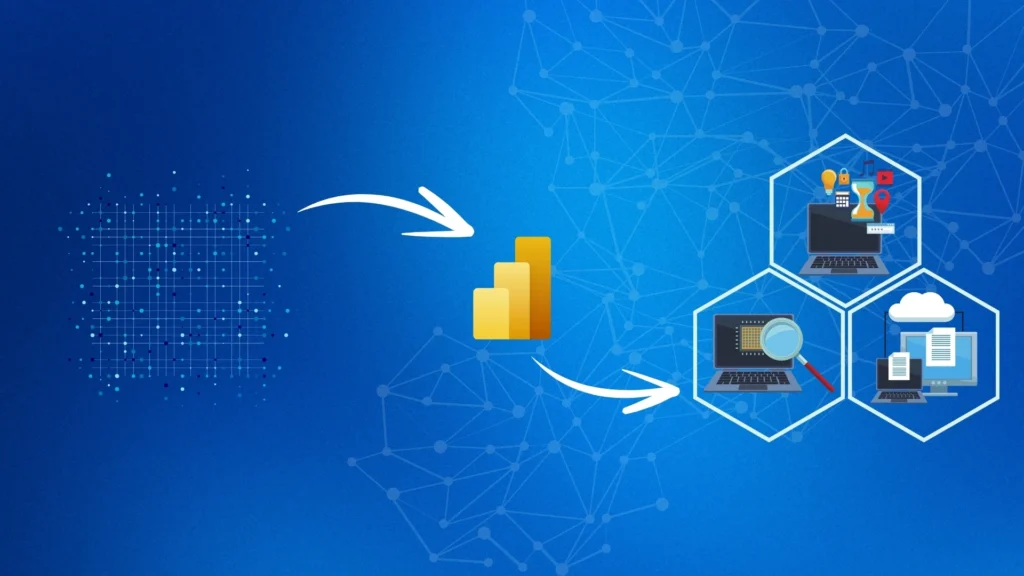
Introduction Cleaning and transforming raw data are a crucial step in creating accurate and insightful Power BI reports. The Power Query Editor in Power BI Desktop offers a robust set of tools for shaping data to meet specific needs. Here’s a step-by-step guide to help clean raw data in Power BI. Things need to be considered while cleaning raw data Steps and procedure to clean raw data (General Overview) Getting started to clean Initial raw data in Power Query in Power BI To begin cleaning data, open Power Query Editor by selecting the Transform data option on the Home tab of Power BI Desktop. In Power Query Editor, the data in the selected query displays in the middle of the screen. The Queries pane on the left lists the available queries (tables). All steps taken to shape data are recorded and applied each time the query connects to the data source. This ensures data is consistently shaped according to specifications without altering the original data source. Identify Column Headers and NamesFirst, identify the column headers and names within the data and evaluate their placement to ensure they are correctly located. If the data imported does not have the correct headers, it can be difficult to read and analyze. Promote HeadersIf the first row of data contains column names, promote this row to be the header. This can be done by selecting the Use First Row as Headers option on the Home tab or by selecting the drop-down button next to Column1 and then selecting Use First Row as Headers. Rename ColumnsExamine the column headers to ensure they are correct, consistent, and user-friendly. To rename a column, right-click the header, select Rename, edit the name, and press Enter. Alternatively, double-click the column header and overwrite the name. Remove Top RowsRemove some of the top rows if they are blank or contain data that is not needed. Select Remove Rows > Remove Top Rows on the Home tab to remove these rows. Remove Unnecessary ColumnsRemoving unnecessary columns early in the process helps focus on the data needed and improves the performance of Power BI models and reports. Remove columns by selecting the columns to remove and then selecting Remove Columns on the Home tab. Alternatively, select the columns to keep and then select Remove Columns > Remove Other Columns. Unpivot ColumnsUnpivoting columns can be useful when transforming flat data into a format that is easier to analyze. Highlight the columns to unpivot, select the Transform tab, and then select Unpivot Columns. Rename the resulting columns to appropriate names. Pivot ColumnsThe pivot column feature converts flat data into a table that contains an aggregate value for each unique value in a column. Select Transform > Pivot Columns and choose the column to pivot. Choose an aggregate function such as count, minimum, maximum, median, average, or sum. How to simplify data structure in Power BI Rename QueriesRename uncommon or unhelpful query names to more user-friendly names. Right-click the query in the Queries pane, select Rename, and edit the name. Replace ValuesUse the Replace Values feature to replace any value in a selected column with another value. Select the column, then Replace Values on the Transform tab, enter the value to find and the value to replace it with, and select OK. Replace Null ValuesIf the data contains null values, consider replacing them with a value like zero to ensure accurate calculations. Use the same steps as replacing values to replace null values. Remove DuplicatesTo keep only unique names in a selected column, use the Remove Duplicates feature. Select the column, right-click the header, and select Remove Duplicates. Consider copying the table before removing duplicates for comparison. Best Practices for Naming Tables, Columns, and ValuesConsistent naming conventions help avoid confusion. Use descriptive business terms and replace underscores with spaces. Be consistent with abbreviations and avoid acronyms in values to ensure clarity.By following these steps and best practices, effectively clean and transform raw data in Power BI, setting the stage for creating powerful and insightful reports. Evaluate and Change Column Data Types Why Correct Data Types MatterWhen importing a table into Power BI Desktop, it automatically scans the first 1,000 rows to detect data types. However, this process can sometimes result in incorrect data type detection, leading to performance issues and calculation errors. Incorrect data types can prevent accurate calculations, deriving hierarchies, or establishing proper relationships between tables. For instance, a column intended for date values but detected as text will hinder time-based calculations and prevent the creation of date hierarchies. Changing Data Types in Power Query EditorTo ensure data types are correct: Open Power Query Editor: In Power BI Desktop, go to the Home tab and select Transform Data. Select the column: Choose the column with the incorrect data type. Change the Data Type: Change the data type by:Selecting Data Type in the Transform tab and choosing the correct type.Clicking the data type icon next to the column header and selecting the correct type from the list. Combine Multiple Tables into a Single Table When to Combine TablesCombining tables is useful in scenarios such as:Simplifying overly complex models.Merging tables with similar roles.Consolidating columns from different tables for custom analysis. Methods to Combine Tables Append QueriesAppending queries adds rows from one table to another: Reformat Tables: Ensure columns in the tables to append have the same names and data types.Append Queries as New: In Power Query Editor, go to the Home tab, select Append Queries as New, and add the tables to append. Merge QueriesMerging queries combines data based on a common column: Select Merge Queries as New: In Power Query Editor, choose Merge Queries as New. Choose tables and columns: Select the tables and the common column (e.g., OrderID) to merge on. Choose Join Type: Select a join type (e.g., left-outer) to define how tables are combined.These methods allow creating a consolidated table for comprehensive analysis Profile Data in Power BI Understanding Data Profiling Profiling data involves examining the structure and statistics of data
Everything you need to know about data dashboards

Introduction What are data dashboards Data dashboards are visual displays that consolidate and present key metrics and insights from data sources. They simplify complex information into easily understandable charts, graphs, and tables, enabling quick monitoring of performance and identification of trends. By connecting to various data sources, dashboards provide real-time or near-real-time updates, supporting data-driven decision-making across organizations. How do dashboards work? Dashboards transform complex data into visual representations that are easy to interpret, even for non-technical users. They provide a consolidated view of key metrics and trends, enabling stakeholders at all levels to quickly grasp the current status and performance of various aspects of a business. By presenting data in intuitive charts, graphs, and tables, dashboards empower teams to collaborate effectively and align efforts towards common goals. This accessibility and clarity are crucial in driving organizational transparency, efficiency, and strategic decision-making. What are the benefits of dashboards? Enhanced Visibility: Dashboards provide a clear overview of key metrics and performance indicators across departments or projects, ensuring stakeholders comprehensively understand organizational health and progress. Data-Driven Decisions: By consolidating data from various sources into a single interface and presenting it in visually compelling formats like charts and graphs, dashboards empower decision-makers to quickly analyze trends, identify opportunities, and respond to challenges with informed actions. Efficiency: Dashboards streamline data access and analysis, saving time otherwise spent on gathering and interpreting information. This efficiency allows teams to focus more on strategic initiatives and less on data management. Collaboration: They promote collaboration by fostering a shared understanding of performance metrics and goals across teams, encouraging alignment of efforts and improved communication. Performance Monitoring: Dashboards enable continuous monitoring of key performance indicators (KPIs), helping organizations track progress towards goals, detect deviations early, and take corrective actions promptly. User-Friendly: Designed with intuitive interfaces, dashboards make complex data accessible and understandable to non-technical users, facilitating broader adoption and utilization across the organization. What are the best practices for dashboards? Clear Objectives: Define clear goals and metrics to ensure the dashboard aligns with organizational priorities. Simplicity: Keep the layout clean and uncluttered, focusing on essential information to avoid overwhelming users. Interactivity: Incorporate interactive features like drill-downs and filters to allow users to explore data and gain deeper insights. Regular Updates: Ensure data is refreshed frequently to maintain accuracy and relevance. User-Centric Design: Tailor the dashboard to user needs and preferences, ensuring it meets their specific requirements effectively. Training and Support: Provide adequate training and support to users to maximize the dashboard’s usability and adoption. What are the technical considerations while designing a dashboard? Data Sources Integration: Ensure compatibility with various data sources such as databases, APIs, spreadsheets, and cloud services to consolidate data effectively. Performance Optimization: Design the dashboard to handle large datasets efficiently, optimizing queries and data retrieval processes for quick response times. Scalability: Plan for scalability to accommodate future data growth and increased user demand without compromising performance. Data Security: Implement robust security measures to protect sensitive data, including encryption, access controls, and compliance with data protection regulations. Visualization Techniques: Choose appropriate data visualization techniques (e.g., charts, graphs, maps) that effectively communicate insights while maintaining clarity and accuracy. Responsiveness: Ensure the dashboard is responsive and accessible across different devices (desktops, tablets, mobile phones) to support users working in various environments. Dashboard Framework Selection: Select a suitable dashboarding framework or tool based on scalability, customization options, and integration capabilities with existing systems. Data Governance: Establish data governance policies to maintain data quality, consistency, and integrity across the dashboard. Feedback Mechanism: Incorporate mechanisms for user feedback to continuously improve the dashboard’s functionality, usability, and relevance. What are the types of dashboards? There are several types of data dashboards, each serving different purposes and audiences within an organization: Strategic Dashboards: Focus on high-level metrics and KPIs aligned with organizational goals and long-term strategies. They provide executives and senior management with a broad view of overall performance. Operational Dashboards: Monitor real-time or near-real-time operational data and performance metrics. Operational teams use them to track daily activities, detect issues promptly, and ensure smooth business operations. Analytical Dashboards: Offer in-depth analysis and insights into historical and current data trends. They support data analysts and business intelligence professionals in exploring data relationships, identifying patterns, and making data-driven decisions. Tactical Dashboards: Address specific departmental or project-based needs, focusing on detailed metrics and performance indicators relevant to a particular function or initiative. They help team leaders and project managers track progress and make tactical adjustments. Elements can be used for dashboards Conclusion As discussed throughout the blog, dashboards play a crucial role in this process, offering enhanced visibility, efficiency, and collaboration across your organization. Selecting the right data visualization tool is critical to maximizing the impact of your data dashboards. Some popular tools include. Power BI: A versatile tool by Microsoft, Power BI allows for extensive customization and integration with various data sources. Its interactive data dashboards and robust data analytics capabilities make it a preferred choice for many organizations. Tableau: Known for its powerful data visualization capabilities and ease of use, Tableau helps create stunning and interactive data dashboards that can connect to multiple data sources. Looker: A Google Cloud product, Looker is designed for real-time data analytics and visualization, offering rich interactive dashboards and seamless integration with other Google services. Qlik Sense: This tool focuses on self-service data analytics and visualization, enabling users to explore data and create interactive reports and data dashboards easily. Why Sparity At Sparity, we specialize in delivering comprehensive data analytics and visualization solutions tailored to your business needs. Our expertise in tools especially in Power BI ensures that we can create intuitive and impactful data dashboards that drive data-driven decision-making for organizations. With Sparity, you can transform your data into actionable insights, driving strategic decisions and operational efficiency. Choose Sparity for reliable, innovative, and effective data analytics and visualization solutions. FAQs
Which cloud service model is best suited for lift and shift migration?

Introduction Migrating from an on-premises data center to a cloud environment is a critical step for many organizations seeking to enhance scalability, flexibility, and cost-efficiency. One of the most popular approaches for this transition is the “lift and shift” method, where applications, workloads, and data are moved to the cloud with minimal changes. This strategy allows businesses to quickly reap the benefits of cloud computing without the need for extensive re-architecting of their systems. Among the various cloud service models available, Infrastructure as a Service (IaaS) stands out as the most suitable for lift and shift migrations. IaaS offers a virtualized version of the traditional hardware infrastructure, providing familiarity for IT staff, control over the operating environment, and the ability to scale resources as needed. In this blog, we will explore why IaaS is the ideal choice for lift and shift migrations, and highlight some leading IaaS providers. Why IaaS is Best Suited for Lift and Shift Minimal Changes Required: IaaS facilitates the lift and shift migration of applications and data with minimal architectural modifications. This simplifies the transition to the cloud, ensuring continuity without extensive redesigns, and reducing operational disruption. Familiarity: IaaS provides a virtualized environment akin to traditional on-premises hardware, familiar to IT teams. This familiarity streamlines management processes and supports operational continuity, leveraging existing skills and practices. Control and Flexibility: Organizations retain control over operating systems, storage, and applications with IaaS, similar to managing on-premises infrastructure. This control ensures seamless integration and customization to meet specific business needs. Scalability: IaaS offers scalable computing power and storage resources on-demand. This flexibility eliminates the need for upfront hardware investments, enabling agile resource allocation to match fluctuating workload demands. Ease of Deployment: IaaS simplifies deployment by minimizing the need for extensive architectural changes, ensuring a smoother transition to cloud environments. Resource Flexibility: Businesses can scale computing resources according to demand with IaaS, optimizing performance and operational efficiency without upfront hardware costs. Cost Efficiency: Adopting IaaS reduces operational costs associated with hardware maintenance, space, and energy consumption, promoting cost-effective cloud migration strategies. Management Simplicity: IaaS environments are managed similarly to on-premises systems, providing familiarity and ease of management for IT teams. Examples of IaaS Providers Amazon Web Services (AWS) EC2: AWS EC2 provides diverse instance types tailored for various applications. It supports scalability and performance optimization, enabling businesses to deploy and manage applications efficiently. Microsoft Azure Virtual Machines: Azure VMs offer robust support for multiple operating systems and seamless integration with existing on-premises systems. Azure’s global infrastructure ensures high availability and compliance. Google Cloud Compute Engine: Google Cloud Compute Engine features customizable VM configurations and a pay-per-second billing model. It supports efficient resource management and cost optimization for businesses of all sizes. Considerations during an IaaS lift and shift migration: Compatibility: Verify operating systems, databases, and applications are compatible with the IaaS platform to avoid compatibility issues during lift and shift migration. Resource Sizing: Accurately assess CPU, memory, and storage requirements to ensure optimal performance and scalability in the cloud environment. Data Migration: Plan a secure and efficient transfer of data to prevent data loss, ensuring integrity and minimal downtime during the lift and shift migration process. Performance Testing: Conduct thorough tests to evaluate network latency, application responsiveness, and overall performance to meet user expectations post-migration. Security: Implement robust security measures including encryption, access controls, and compliance certifications to protect data and meet regulatory requirements in the cloud. Cost Management: Optimize costs by choosing appropriate pricing models, monitoring resource usage, and scaling resources based on demand to avoid unnecessary expenses. Monitoring Tools: Utilize monitoring tools provided by the IaaS platform to track resource utilization, identify performance bottlenecks, and optimize infrastructure efficiency. Backup Strategy: Develop a comprehensive backup strategy with automated backups and data replication across regions to ensure data resilience and quick recovery in case of failures. Training: Provide training for IT team on managing and troubleshooting the IaaS environment effectively to minimize operational issues and maximize productivity. Integration Testing: Conduct rigorous integration testing to verify application functionality, data integrity, and compatibility with other systems post-migration to ensure a seamless transition to the cloud. Conclusion When undertaking a “lift and shift” migration from an on-premises data center to the cloud, Infrastructure as a Service (IaaS) emerges as the optimal choice. As businesses evolve, a robust IaaS framework ensures they remain competitive and agile in an increasingly digital landscape. Investing in IaaS today means being prepared for the technological advancements of tomorrow, ensuring sustained growth and resilience. The transition to IaaS is not just a shift in infrastructure but a leap towards a more efficient and future-ready enterprise. Why Sparity As a leading software company, Sparity excels in leveraging Infrastructure as a Service (IaaS) to enhance operational efficiency and reduce costs. With a proven track record in planning and executing complex cloud migrations, Sparity ensures a smooth and efficient transition to the cloud. Our expert team delivers tailored solutions that empower businesses to stay competitive and agile in an ever-evolving digital landscape. Partner with us to build a future-ready infrastructure, optimize operations, and unlock new growth opportunities. FAQs