
Digital Technology Trends to Watch Out in 2025

Introduction As we approach 2025, the landscape of digital technology is evolving at an unprecedented pace. From artificial intelligence to sustainable practices, businesses must stay ahead of the curve to remain competitive. This blog explores key technology trends for 2025, focusing on AI trust, risk management, continuous threat exposure management, sustainable technology, platform engineering, and intelligent applications. By understanding these technology trends, organizations can prepare for the future and leverage technology for growth. 1. AI Trust, Risk, Security & Management AI continues to reshape industries, but with great power comes great responsibility. In 2025, businesses will focus on building trust in AI systems. This involves addressing ethical concerns, data privacy, and bias in algorithms. Companies will invest in transparent AI governance frameworks, ensuring that AI decisions are explainable and accountable. By enhancing AI security and management, organizations can mitigate risks and build consumer confidence. 2. Continuous Threat Exposure Management Cybersecurity is a pressing concern in the digital age. In 2025, businesses will adopt continuous threat exposure management (CTEM) strategies to identify and mitigate vulnerabilities in real-time. Traditional security measures are no longer sufficient; organizations need proactive approaches to safeguard their data and assets. CTEM allows companies to monitor threats continuously, respond swiftly, and adapt to the evolving landscape of cyber threats. 3. Sustainable Technology Sustainability is not just a buzzword; it’s a necessity for the future. In 2025, businesses will prioritize sustainable technology practices. This includes adopting green computing solutions, reducing e-waste, and implementing energy-efficient data centers. Organizations will leverage technology to minimize their carbon footprint and promote environmental responsibility. By embracing sustainable technology, businesses can enhance their brand reputation and appeal to eco-conscious consumers. 4. Platform Engineering As organizations increasingly rely on software to drive their operations, platform engineering will become a vital trend in 2025. This approach focuses on creating scalable and efficient platforms that streamline development processes. By investing in platform engineering, companies can reduce time-to-market for new applications and enhance collaboration between development teams. This trend will enable organizations to innovate faster and respond to market demands more effectively. 5. Intelligent Applications Intelligent applications, powered by AI and machine learning, will dominate the technological landscape in 2025. These applications can analyze vast amounts of data, learn from user behavior, and provide personalized experiences. Businesses will harness the power of intelligent applications to improve customer engagement, optimize operations, and drive growth. By leveraging intelligent applications, organizations can create a competitive edge and meet the ever-changing needs of their customers. Watch the video to get to know in a detailed manner Conclusion As we look ahead to 2025, the technology trends discussed above will significantly impact how businesses operate and interact with their customers. By focusing on AI trust, continuous threat exposure management, sustainable technology, platform engineering, and intelligent applications, organizations can prepare for the future and harness the power of digital technology for growth. Embracing these digital technology trends is essential for staying competitive and meeting the demands of an increasingly digital world. Why Sparity? Sparity offers expertise in navigating these technology trends. With a team dedicated to innovative solutions and a focus on sustainability, Sparity is your partner in leveraging technology for growth. Partner with us to stay ahead of the curve in 2025! FAQs
Cybersecurity Trends to Watch in 2025

Introduction As we advance into 2025, the landscape of cybersecurity continues to evolve. Organizations must adapt to new technologies, threats, and regulations that shape how we protect our data and systems. This blog explores key cybersecurity trends that will define the coming year, focusing on Zero Trust Architecture, quantum computing, the Internet of Things (IoT), cyber resilience, and emerging regulations. Understanding these cybersecurity trends is crucial for businesses looking to bolster their security posture and stay ahead of potential threats. Implement Zero Trust Architecture The Zero Trust model is gaining traction as one of the most important cybersecurity trends that organizations realize that traditional security methods are no longer sufficient. In a Zero Trust Architecture, every access request is treated as a potential threat. This approach requires continuous verification, regardless of whether the request comes from inside or outside the network. Implementing Zero Trust involves deploying multifactor authentication, strict access controls, and comprehensive monitoring. In 2025, businesses will prioritize this model to minimize the risk of breaches and protect sensitive data. Quantum Computing Quantum computing as one of the cybersecurity trends in 2025 presents both opportunities and challenges in the cybersecurity realm. While it has the potential to solve complex problems at unprecedented speeds, it also poses a threat to current encryption methods. As quantum computers become more accessible, organizations will need to invest in quantum-resistant encryption algorithms. We can expect more discussions around developing these algorithms and strategies to secure data against quantum threats. The Internet of Things (IoT) The proliferation of IoT devices continues to reshape our digital environment. While these devices offer convenience and efficiency, they also create numerous entry points for cybercriminals. In 2025, organizations will focus on securing IoT devices through robust authentication mechanisms and regular software updates. It will be essential for businesses to implement comprehensive security measures to protect their IoT ecosystems from vulnerabilities. Cyber Resilience Cyber resilience is about more than just prevention; it’s about being able to respond and recover from cyber incidents. In 2025, businesses will prioritize creating resilient infrastructures that can withstand attacks. This includes investing in incident response plans, regular training for employees, and developing backup systems. Companies that focus on cyber resilience will not only enhance their security posture but also build trust with customers and stakeholders. No matter how many cybersecurity trends or technologies are about to rule the world, resilience should always be the priority. Emerging Regulations While regulations are may not be considered as a cybersecurity trends, the upcoming cyber technology must be aligned with the regulations. As cyber threats become more sophisticated, so do regulations aimed at protecting sensitive information. In 2025, we can expect an increase in regulatory requirements across various industries. Organizations must stay informed about these changes and ensure compliance with laws like GDPR, CCPA, and others that may emerge. Failing to comply can result in significant fines and damage to reputation, making regulatory awareness a top priority for businesses. Watch the video for more detailed information Conclusion As we look ahead to 2025, the cybersecurity landscape is set to undergo significant transformations. Embracing Zero Trust Architecture, preparing for quantum computing challenges, securing IoT devices, building cyber resilience, and staying compliant with emerging regulations are critical for organizations seeking to safeguard their operations. By understanding and adapting to these cybersecurity trends, businesses can create a more secure environment and protect themselves from evolving threats. Why Sparity? Sparity specializes in helping organizations navigate the complexities of the cyber world, and our experts are always be ahead with all the cybersecurity trends. Our expertise in implementing Zero Trust Architecture, quantum-resistant solutions, and compliance strategies ensures that your business is well-prepared for the future. Partner with us to strengthen your cybersecurity posture and protect your valuable assets. FAQs
Streamlining Retail Tax Data with Power BI
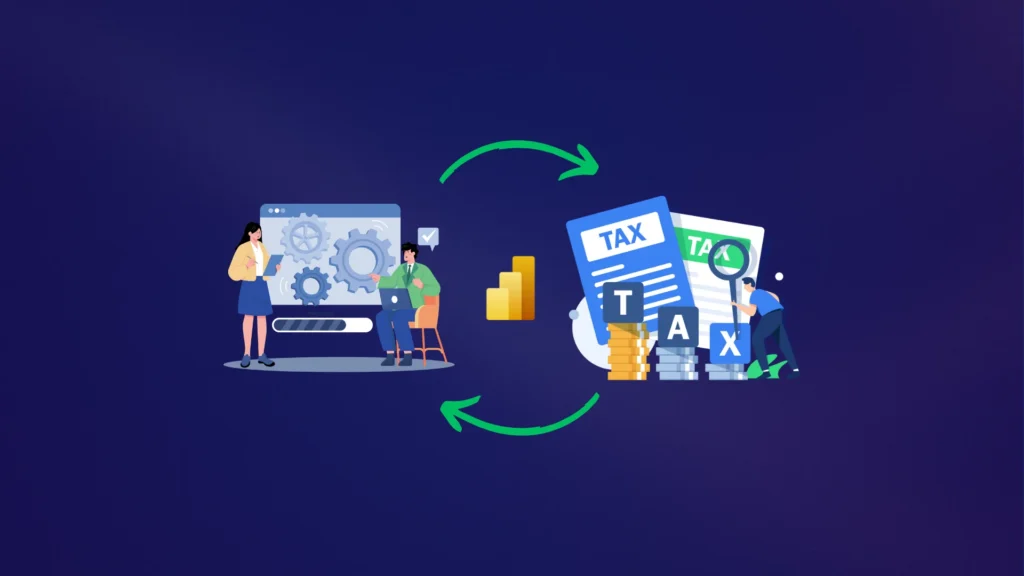
Client Challenges: Tax Rate Diversity: Managing tax rates for 5,000+ products with varying tax rates across 15 regions. Data Complexity: Data stored in 12 different formats, including CSVs, Excel files, and ERP system exports. Accuracy Issues: Ensuring accurate tax reporting amidst frequent tax rate changes. Manual Calculations: Time-consuming manual tax calculations leading to delays and errors. Data Consolidation: Difficulty in consolidating tax data from different sources into a coherent format. Compliance: Regular updates required to comply with changing regional tax laws. Scalability: Need to manage an expected 25% increase in product lines and tax rates over 2 years. Sparity Solutions: Data Transformation: Utilized Power Query to standardize and transform tax data from 12 formats into a unified format. Custom DAX Calculations: Developed custom DAX formulas to handle complex tax rate calculations based on region-specific rules. Automated Tax Reports: Created automated tax reporting templates in Power BI, reducing manual calculation errors and saving 15 hours of work per week. Integrated Data Sources: Integrated sales and tax data from ERP, CSV, and Excel sources into a single Power BI model. Dynamic Dashboards: Built dynamic dashboards to track tax liabilities by region and product, updating in real time. Compliance Tracking: Implemented compliance tracking features using Power BI’s data alerts to monitor changes in tax regulations. Scalable Infrastructure: Configured Power BI to handle a 25% increase in product lines and tax data by leveraging Azure cloud scalability. Benefits: Accuracy Improvement: Increased tax reporting accuracy by 35% due to standardized calculations. Time Savings: Reduced manual calculation time by 75%, saving 15 hours per week. Data Integration: Streamlined data consolidation process, reducing data handling errors. Regulatory Compliance: Improved compliance tracking and reporting with real-time updates. Scalability: Supported a 25% increase in product lines and tax rates with no performance issues.
How to Use Report Bookmarks in Power BI to Enhance Storytelling and Share Insights

Introduction Power BI’s robust features allow users to create dynamic and interactive reports, but sometimes you want to go a step further. One of the most effective ways to do this is by using report bookmarks. This powerful feature lets you capture the current state of a report page—including filters, slicers, and visuals—so you can easily return to it later or share it with others. Report Bookmarks are a great tool for building compelling narratives, highlighting key insights, and simplifying the navigation of complex reports. What Are Power BI Report Bookmarks? Bookmarks in Power BI allow users to save the exact configuration of a report page, including: The current page. Sort order. When you create a bookmark, Power BI captures the current state of the report and saves it for later. This allows others to return to the exact same view with just a click, making it easier to guide users through your insights without requiring them to configure the report themselves. Bookmarks come in two types: personal and report bookmarks. Personal bookmarks are created by users viewing reports, while report bookmarks are set up by the report creator and shared with everyone who accesses the report. Practical Uses for Report Bookmarks There are several ways report bookmarks can be used to enhance Power BI reports: Storytelling: By arranging report bookmarks in a specific order, you can walk your audience through a series of visuals that tell a cohesive story. Whether presenting in a meeting or creating an interactive dashboard, bookmarks allow you to highlight key findings or changes over time. Progress Tracking: As you build out a report, bookmarks can help you track your development process, allowing you to save various versions of your work without the need for separate files. Custom Navigation: Report Bookmarks can be linked to buttons or shapes in the report, allowing users to quickly navigate between different views or perspectives. This can transform a single report page into a multi-functional dashboard. Toggle Between Views: With report bookmarks, you can switch between different report views (e.g., different visual types or filtered data) with a single click. This capability allows users to focus on different insights without losing context. How to Create and Manage Bookmarks in Power BI Creating report bookmarks is simple and can be done in both Power BI Desktop and the Power BI service. Here’s a step-by-step guide: Open the Bookmarks Pane: In Power BI Desktop, navigate to the View tab and select Bookmarks. The Bookmarks pane will appear on the right side of the screen. Set Up the Report Page: Configure your report page with the desired filters, visuals, and settings you want to capture. Adjust slicers, apply cross-highlights, and ensure the visuals are set up as you need them to be. Add a Bookmark: Once everything is set, click Add in the Bookmarks pane. Power BI will automatically generate a bookmark, capturing the current state of the report. Rename, Update, or Delete Bookmarks: You can easily manage bookmarks by selecting the three dots (…) next to a bookmark’s name. From here, you can rename, update, or delete the bookmark as needed. Customize Bookmark Properties: You can choose what the bookmark captures by selecting specific properties such as data (filters and slicers), display (visual spotlight), and current page. This allows for more granular control over what elements of the report are saved. Arranging and Presenting Bookmarks One of the best features of bookmarks is the ability to arrange them in a particular order and use them as a slideshow. This can be especially helpful in presentations or when guiding users through complex datasets. Drag-and-Drop Rearrangement: You can easily rearrange bookmarks by dragging and dropping them in the Bookmarks pane. The order of the bookmarks determines the flow of your presentation. Using Bookmarks as a Slide Show: To present bookmarks as a slideshow, select the View option in the Bookmarks pane. This will let you step through each bookmark one by one, creating a seamless experience for your audience. Assigning bookmarks to buttons and creating bookmark groups Bookmarks can be linked to objects such as shapes or buttons to create interactive elements in your reports. Here’s how you can enhance the user experience by linking bookmarks to buttons: Assigning Bookmarks to Buttons: Insert a button or shape on your report page. In the Format button pane, toggle the Action slider to On, then select Bookmark as the action type. Choose the desired bookmark, and now users can navigate to a specific view just by clicking the button. Creating Bookmark Groups: Grouping bookmarks can help keep them organized and ensure that they are presented in a logical order. To create a bookmark group, press Ctrl and select multiple bookmarks. Then, click the three dots next to any selected bookmark and choose Group. This is especially useful for larger reports with many bookmarks. Visibility Control with the Selection Pane In addition to saving filters and slicers, bookmarks also capture the visibility of objects on a report page. You can manage the visibility of these objects using the Selection pane: Turn on the Selection Pane: In Power BI Desktop, go to the View tab and select Selection Pane. From here, you can toggle the visibility of any object on the page by clicking the eye icon next to the object’s name. Use in Combination with Bookmarks: Combining the Selection pane with bookmarks allows for more customized views of your report. For example, you can create bookmarks where different objects are visible or hidden to highlight specific insights. Just make sure to update the bookmark after changing the visibility settings. Limitations and Considerations While bookmarks are incredibly useful, there are some limitations to keep in mind: Bookmarks apply to the state of the visuals but not their location on the page. If you add new slicers after creating a bookmark, they will be cleared in that bookmark. Custom visuals may not fully support bookmarking, so check with the visual creator if you encounter issues. Watch the
Creating a Dataflow in Power BI: A Step-by-Step Guide

Introduction Dataflows are essential in Power BI, allowing users to centralize, clean, and transform data from various sources. A dataflow in Power BI acts as a collection of tables within a workspace, making it easier to manage large sets of data. It’s not just about storing data; dataflows play a vital role in data transformation and reshaping, giving you the power to build sophisticated models with ease. Getting Started with Power BI Dataflows Dataflows are designed to be managed in Power BI workspaces (note: they are not available in personal “my-workspace” environments). To start creating a dataflow, log in to the Power BI service, navigate to the desired workspace, and select the option to create a dataflow. You can also create a new workspace if necessary. There are various ways to create or extend a dataflow: Each method offers flexibility, depending on your specific needs and data sources. Let’s break down each of these options. Defining New Tables in Dataflows One of the most common ways to build a dataflow is by defining new tables. This involves selecting data from various sources, connecting, and then shaping the data using Power BI’s transformation tools. To define a new table, first select a data source. Power BI provides a wide range of connectors, including Azure SQL, Excel, and many more. After establishing a connection, you can then choose the data you want to import and set up a refresh schedule to keep the data up-to-date. Once your data is selected, Power BI’s powerful dataflow editor allows you to transform and shape your data into the necessary format. This flexibility ensures your data is prepared for use in reports, dashboards, or further analytical tasks. Using Linked Tables in Dataflows A great feature of Power BI is the ability to reuse tables across multiple dataflows. By using Linked Tables, you can reference an existing table in a read-only manner. This is particularly useful if you have a table, such as a date or lookup table, that you want to reuse across various reports or dashboards without repeatedly refreshing the data source. Linked tables are not only time-savers but also reduce the load on data sources by caching the data in Power BI. This functionality is, however, only available for Premium users, making it a feature for more enterprise-level setups. Creating Computed Tables in Dataflows If you need to perform more advanced operations on your data, Computed Tables are the way to go. This method allows you to reference a linked table and execute transformations or calculations, resulting in a new, write-only table. Computed tables are especially useful in cases where you need to merge tables or aggregate data. For example, you might have raw data for customer accounts and support service calls. By using a computed table, you can aggregate the service call data and merge it with your customer account data to create an enriched, single view of your customer’s activity. An important aspect of computed tables is that the transformations are performed directly within Power BI’s storage, reducing the strain on external data sources. Like linked tables, computed tables are available only to Premium subscribers. Leveraging CDM Folders for Dataflows Another powerful way to create a dataflow is by using CDM (Common Data Model) folders. If your data resides in Azure Data Lake Storage (ADLS) in CDM format, Power BI can easily integrate with this data source. To create a dataflow from a CDM folder, you simply provide the path to the JSON file in your ADLS Gen 2 account. It’s essential to ensure that the necessary permissions are in place for Power BI to access the data stored in ADLS. When set up correctly, this integration can streamline your workflow, as data written in the CDM format by other applications can be leveraged directly in Power BI. Importing and Exporting Dataflows The Import/Export functionality is a valuable tool when you need to move dataflows between workspaces or back up your work. By exporting a dataflow to a JSON file, you can save a copy offline, or import it into another workspace to maintain consistency across different projects. This feature can be a lifesaver when working across multiple teams or environments, ensuring that your dataflows can be easily transferred or archived. Best Practices for Using Dataflows in Power BI To maximize the effectiveness of dataflows in Power BI, consider the following best practices: Utilize linked tables to reduce redundancy and minimize load on external data sources. Schedule regular data refreshes to ensure your reports and dashboards always reflect the latest data. Leverage computed tables for in-storage computation, saving time and resources. Maintain a clean data model by using Power BI’s editor to shape and transform your data early in the process. Explore CDM folders to connect and integrate with other data platforms seamlessly. By incorporating these practices, you’ll unlock the full potential of dataflows, optimizing both data management and reporting efficiency. Watch the video for more detailed information Conclusion Creating and managing dataflows in Power BI offers immense value by simplifying data consolidation, transformation, and integration. With its versatile features—such as linked tables, computed tables, and CDM folder integration—Power BI ensures that you can centralize your data for more effective analysis. Whether you’re handling multiple data sources or scaling up your data operations, dataflows provide the tools to maintain accuracy, streamline workflows, and save time. Why Sparity? Sparity brings expertise in optimizing Power BI to streamline your data management. We ensure seamless data integration, automate reporting, and enable real-time insights, helping you unlock the full potential of Power BI’s dataflows for efficient and scalable operations. FAQs
Power BI Boosts Telecom Network Monitoring Efficiency

Client Challenges: High Data Volume: Processing over 50 million network performance data points daily. Integration Issues: Data scattered across 10 different systems, including SNMP, Syslog, and proprietary databases. Real-Time Analysis: Required dashboards to update every 5 minutes to reflect current network status. Predictive Maintenance: No existing predictive analytics to anticipate network failures. Slow Reporting: Manual reports took up to 24 hours to compile. User Access: Over 200 field engineers and managers needed access to actionable insights. Scalability: Need to support an anticipated 30% data volume increase over the next 2 years. Sparity Solutions: Data Integration: Employed Power BI Dataflows to consolidate data from SNMP, Syslog, and other sources into a single dataset. Real-Time Dashboards: Built real-time dashboards using DirectQuery to ensure updates every 5 minutes. Predictive Models: Integrated Power BI with Azure Machine Learning to develop predictive models for network failure, analyzing historical data patterns. Automated Reporting: Created automated reports using Power BI’s subscription feature, reducing report generation time from 24 hours to 2 hours. Custom Visualizations: Designed custom visualizations using Power BI’s advanced charting features to simplify complex data. Alerts and Notifications: Set up Power BI Alerts to notify engineers when performance metrics exceed predefined thresholds. Scalability Planning: Configured the Power BI environment to handle a 30% increase in data volume through scalable Azure resources. Benefits: Efficiency Improvement: Reduced network issue detection time by 50% due to real-time dashboards. Predictive Accuracy: Increased predictive accuracy for network failures by 40%, preventing potential outages. Reporting Speed: Reduced manual report generation time by 92%, from 24 hours to 2 hours. User Satisfaction: Enhanced access to insights for 200+ users, improving decision-making efficiency.Scalability: Supported a 30% data volume increase with no performance degradation.
Modernizing a Legacy Interactive Patient Care System with .NET Core Migration
Client Overview A leading healthcare provider sought to migrate their Interactive Patient Care System to .NET core, originally built on the aging .NET Framework 4.5.2. The primary goals were to improve performance, enhance security, and ensure long-term scalability by migrating to .NET Core 8. The migration project focused on upgrading both the API and Admin Application components while maintaining the continuity of current business operations. Sparity was a trusted partner to execute this critical transformation. Client Challenges Legacy System Limitations: The existing system, built over 10 to 15 years ago, had become increasingly difficult to maintain and posed significant compatibility issues with modern technologies. Third-Party Dependencies: The system relied on several outdated third-party dependencies, which required replacement with updated versions or alternative solutions to ensure compatibility with the latest LTS .NET Core version. System Integrity and Functionality: The migration needed to be executed without disrupting ongoing operations, maintaining all existing functionalities, and preserving the integrity of the data and user interactions. Complexity of the Upgrade: Migrating critical components, including the MVC application and API, required a careful approach to avoid breaking changes and ensure seamless integration. The entire upgrade was completed within a 6-month timeframe. Solution Sparity implemented a comprehensive Side-by-Side Project Upgrade strategy, ensuring minimal disruption to the healthcare provider’s operations. The key steps included: Conducted an in-depth analysis of the existing system to identify critical components, potential risks, and dependencies. Developed a migration roadmap that included a phased approach to mitigate risks and ensure smooth execution. Converted C# libraries and other critical components from .NET Framework to .NET Core. Addressed compatibility issues by identifying and upgrading or replacing obsolete third-party dependencies with .NET Core-compatible versions. This included job schedulers like Quartz, caching mechanisms such as Redis, and other critical components like authentication and authorization, logging, data synchronization mechanisms, and internationalization/globalization tools. Upgraded the UpServer MVC application to .NET Core, addressing challenges related to Identity management, routing configurations, and caching. Migrated the UpServer API, resolving issues related to authentication, authorization, and logging. Ensured that all API endpoints were functional and fully compatible with the new .NET Core environment. Conducted extensive Dev Testing to identify and resolve migration issues, including those related to Owin security packages, Entity Framework context, i18n pipeline configuration, and front-end dependencies such as jQuery, Font Awesome, and Bootstrap. Deployed the upgraded system to a QA environment, where it underwent thorough testing to ensure that all functionalities were intact and performance was optimized. Deployed the fully upgraded system to the production environment with minimal downtime.Provided ongoing support to address any post-migration issues, ensuring a smooth transition for the client’s operations. Benefits The successful migration to .NET Core delivered several key benefits to the healthcare provider: Enhanced System Performance: The migration resulted in a 25% increase in system performance, providing faster response times and improved user experience. Improved Security: By leveraging .NET Core’s built-in security features, the system is now 50% better protected against modern security threats, ensuring compliance with industry standards. Long-term Scalability: The upgraded system is now equipped to handle future enhancements and scalability requirements, reducing 35% of technical debt and ensuring that the system remains robust and adaptable. Operational Continuity: The project was completed without any significant disruption to the client’s ongoing operations, maintaining all existing functionalities while upgrading to a more modern platform.
Migrate Your Classic Storage Accounts to Azure Resource Manager by August 31, 2025

Introduction The migration from classic storage accounts to Azure Resource Manager (ARM) is now more crucial than ever. As per Microsoft’s latest update, classic storage accounts will be fully retired on August 31, 2025. To continue leveraging the full spectrum of Azure’s capabilities, it is imperative that all data in classic storage accounts be migrated to ARM by this date. Why is Migration Required? Starting August 31, 2025, Microsoft will retire classic Azure storage accounts, meaning they will no longer be accessible. To avoid service disruptions, you must migrate your storage accounts to Azure Resource Manager (ARM) and update your applications to use Azure Storage resource provider APIs.Azure Resource Manager (ARM) introduces a consistent management layer that simplifies deployment, offers resource grouping, and grants access to all new Azure Storage features. Any customer still using classic storage accounts will miss out on these new features and updates. What Happens If You Don’t Migrate? If you don’t migrate your classic storage accounts by August 31, 2025, you’ll lose the ability to manage those accounts through Azure Service Manager. Although the data within these accounts will be preserved, any applications using classic APIs for management will no longer function correctly. What Actions Should You Take? To ensure a smooth migration process, follow these steps: If you need assistance, Microsoft provides community support, access to cloud solution architects, and technical support through the Azure portal.By migrating to Azure Resource Manager, you ensure continued access to your storage accounts and benefit from the latest features and updates, aligning with Microsoft’s ongoing advancements in cloud technology. Key Information At Sparity, we are here to ensure a smooth transition as Microsoft retires classic Azure storage accounts on August 31, 2025. Below is crucial information you need to know: Creation Restrictions:Subscriptions created after August 31, 2022, can no longer create classic storage accounts.Subscriptions created before September 1, 2022, were allowed to create classic accounts until September 1, 2023.Since August 31, 2022, the ability to create new classic storage accounts has been phased out. End of Management via Azure Service Manager:After August 31, 2025, you will no longer be able to manage your classic storage accounts through Azure Service Manager.Your data will be preserved, but we highly recommend migrating to ARM to avoid service interruptions. Migration Process and Considerations:No Downtime for Data Operations:During migration to ARM, data plane operations will continue without downtime.Management operations will be temporarily blocked during the migration.There may be downtime for scenarios like classic virtual machine (VM) or unmanaged disk migration.Management Operations:Data operations can continue during migration.Management tasks like creating or managing container objects with the Azure Storage resource provider will be blocked until migration is complete. Handling Classic Disk Artifacts:Delete Artifacts Before Migration:If your classic storage accounts contain unmanaged disks, virtual machine images, or OS images, delete these artifacts before starting the migration.Failure to delete these artifacts could result in migration failure.We recommend migrating unmanaged disks to managed disks. Post-Migration Details:Access Keys and RBAC Role Assignments:Account access keys and connection strings will remain unchanged after migration.Any Role-Based Access Control (RBAC) assignments scoped to the classic storage account will be preserved.Storage Account Type:After migration, your storage account will become a general-purpose v1 account.You can upgrade it to a general-purpose v2 account.Account Name and Address:The name and address of your storage account will remain the same post-migration.Logging Limitations:The migration process does not offer additional logging capabilities. Why Choose Sparity for Your Migration Needs? At Sparity, we have extensive expertise in Microsoft Azure and are fully equipped to handle the complexities of your migration. Our team of seasoned professionals ensures a smooth transition to Azure Resource Manager, minimizing downtime and ensuring your data and applications continue to operate seamlessly. With our deep understanding of Azure’s infrastructure and best practices, Sparity is your trusted partner in making this critical migration. Need Help? For any questions or assistance, Sparity is here to help. Our experts are ready to guide you through the migration process, ensuring a seamless and efficient transition. Contact us today to learn how we can support your migration to Azure Resource Manager.
Automating Customer Relationship Management(CRM) for a Logistics Client

Client Challenges The client faced several challenges in their existing CRM processes: Manual ProcessesThe company’s CRM relied heavily on manual input, which was time-consuming and prone to errors. This resulted in delays in responding to customer inquiries and inconsistent service quality. Resource ConstraintsThe logistics company struggled with limited human resources, making it difficult to manage high volumes of customer queries, leading to a backlog and frustrated customers. Inconsistent Data ManagementDue to the manual nature of their CRM processes, data collection was inefficient, making it difficult to gather valuable insights and make informed business decisions. Delayed Response TimesCustomers often faced long wait times for responses, as the existing system lacked automation, resulting in a poor customer experience. Solution AI Chatbots for Customer InteractionSparity integrated AI-driven chatbots into the client’s CRM system. These chatbots were programmed to handle a wide range of customer queries, providing instant responses. The chatbots utilized Natural Language Processing (NLP) to understand customer inquiries and provide accurate answers, significantly reducing response times. Automatic Query ResolutionThe solution included an AI system that automatically searched through the company’s internal databases and systems to find the most relevant information for each customer query. This allowed the AI to generate responses autonomously, ensuring that customers received prompt and accurate information without human intervention. AI-Powered Customer Support TrainingTo further enhance the capabilities of the client’s customer service team, Sparity implemented an AI-powered training program. This program used machine learning algorithms to analyze past customer interactions and generate training modules tailored to common customer issues. This helped in upskilling the service representatives and enabled them to handle calls more effectively. Advanced Analytics IntegrationSparity integrated advanced data analytics tools to provide real-time insights into customer interactions. This allowed the client to monitor customer service performance continuously, identify trends, and make informed adjustments to their strategies. Workflow Automation and Task ManagementThe solution also included workflow automation tools that streamlined task management for customer service representatives. These tools automatically assigned tasks based on priority, ensuring that no customer query was overlooked and that all tasks were handled efficiently. Comprehensive Data Management SolutionsSparity implemented a robust data management system that automatically logged and organized all customer interactions. This system enabled easy access to customer data, facilitating quick retrieval of information for future interactions and improving overall data-driven decision-making. Benefits The implementation of Sparity’s solution delivered several key benefits to the client: Increased EfficiencyAchieved a 40% reduction in response times, enabling the client to handle 30% more customer queries with the same resources. Cost SavingsReduced operational costs by 35% due to decreased manual processes and increased efficiency from AI-driven solutions. ScalabilityEnabled a 60% increase in customer service capacity without proportional workforce expansion. Enhanced Data InsightsGained 50% more actionable insights into customer behavior and preferences, leading to better decision-making.
Mastering ASP.NET Core 20 Key Features You Can’t Afford to Miss

Introduction ASP.NET Core has become a cornerstone for modern web development, offering a powerful, flexible, and efficient framework that empowers developers to create high-performance web applications. ASP.NET Core stands out as a leader in the industry. Whether you’re building microservices, enterprise-level applications, or lightweight APIs, ASP.NET Core provides the tools you need to succeed. In this blog, we’ll explore 20 key features of ASP.NET Core that you can’t afford to miss, highlighting why this framework continues to be a top choice for developers around the globe. ASP.NET Core ASP.NET Core is a modern, open-source framework developed by Microsoft for building web applications, APIs, and microservices. It represents a significant evolution from the traditional ASP.NET framework, offering cross-platform capabilities that allow developers to build and run applications on Windows, macOS, and Linux. With its modular design, high performance, and flexibility, ASP .Net Core has quickly become the go-to choice for developers seeking to create scalable and efficient web solutions. Cross-Platform Flexibility ASP .Net Core is designed to be cross-platform, allowing you to build and run apps on Windows, macOS, and Linux. This flexibility is a significant shift from the older ASP.NET framework, which was tied to Windows. Minimal APIs Introduced in .NET 6, Minimal APIs allow developers to create simple HTTP APIs with minimal code, without the need for the usual MVC or Web API setup. It’s perfect for microservices or lightweight applications. Dependency Injection Built-In ASP.NET Core comes with built-in dependency injection (DI) support, making it easier to manage and inject dependencies throughout the application. You don’t need a third-party library to implement DI. Middleware Pipeline The request-processing pipeline in ASP .Net Core is made up of middleware components. You can create custom middleware to handle requests in a modular fashion, which allows for greater control over how requests are processed. Unified Programming Model ASP.NET Core unifies the MVC and Web API frameworks into a single programming model, eliminating the need to choose between them and providing a consistent approach to building web applications. Configuration System It has a flexible configuration system that supports a variety of formats (JSON, XML, INI, environment variables) and allows for hierarchical configuration, making it easier to manage settings in different environments. Razor Pages Razor Pages is a newer feature in ASP.NET Core that simplifies page-focused web applications. It follows a more page-centric approach, making it easier for developers familiar with web forms or traditional web development. Health Checks ASP.NET Core includes built-in support for health checks, which allow you to monitor the health of an application and its dependencies. This is particularly useful for microservices or containerized applications. Global Tools ASP.NET Core supports global tools, which are .NET CLI tools that can be installed and used globally on system. These tools can be used for a variety of tasks, such as code generation, database migrations, and more. Kestrel Web Server ASP .Net Core uses Kestrel as its default web server, which is a cross-platform, high-performance, and lightweight server. Kestrel can handle large numbers of requests efficiently, and you can also run it behind a reverse proxy like IIS, Nginx, or Apache for additional security and scalability. Hybrid Serialization with System.Text.Json ASP.NET Core primarily uses System.Text.Json for JSON serialization, but you can mix it with Newtonsoft.Json for specific cases by using custom converters or using both libraries side-by-side in the same project. HTTP/2 Support with gRPC ASP .Net Core supports gRPC, a high-performance, open-source RPC framework that uses HTTP/2. This is particularly useful for microservices, offering advantages like smaller message sizes and built-in error handling. WebAssembly and Blazor While Blazor is well-known, the ability to run .NET code directly in the browser via Web Assembly is a unique feature that isn’t as widely recognized. It allows you to write client-side logic in C# rather than JavaScript. Configuration Reloading on Change The configuration system in ASP.NET Core can automatically reload settings if the underlying configuration file (e.g., appsettings.json) changes, without requiring an application restart. Precompiled Views ASP.NET Core supports precompiling Razor views, which can improve startup time and prevent runtime errors in view files. This is especially useful for production environments. Global Exception Handling Middleware You can create a custom middleware to handle all unhandled exceptions globally, providing a central place for logging and error responses, which simplifies error handling across the application. Enhanced Localization ASP.NET Core has powerful localization and globalization features that go beyond basic translations, allowing for custom culture providers and dynamic resource management, which is handy for multi-lingual applications. Endpoint Routing and Versioning ASP.NET Core supports endpoint routing, which provides more flexibility in defining routes. Coupled with API versioning, it allows for easier management of multiple versions of an API within the same application. Built-in SignalR for Real-Time Communication SignalR is included in ASP.NET Core for real-time communication, such as chat applications, live updates, and notifications. It seamlessly integrates with ASP.NET Core, supporting WebSockets and other transport methods. Feature Flags with Feature Management ASP.NET Core supports feature management via Microsoft Feature Management, which allows you to enable or disable features at runtime, making it easier to manage features in production without redeploying the application. Conclusion ASP.NET Core’s rich set of features makes it an ideal choice for developers looking to build scalable, secure, and high-performance web applications. From its cross-platform flexibility and minimal APIs to advanced features like real-time communication with Signal and feature management, ASP.NET Core provides a comprehensive toolkit that caters to a wide range of development needs. By leveraging these key features, we can enhance application’s efficiency, maintainability, and overall user experience. As web development continues to evolve, mastering ASP.NET Core will keep you ahead of the curve, ensuring applications are future-proof and ready to meet the demands. Why Sparity? At Sparity, we understand the importance of leveraging the best technologies to deliver top-tier solutions. Our expertise in ASP.NET Core allows us to build robust, scalable, and high-performance web applications tailored to meet unique needs. Whether you’re looking to migrate to ASP.NET Core, optimize existing applications, or develop