
Legacy System Modernization: Best Practices and Use Cases
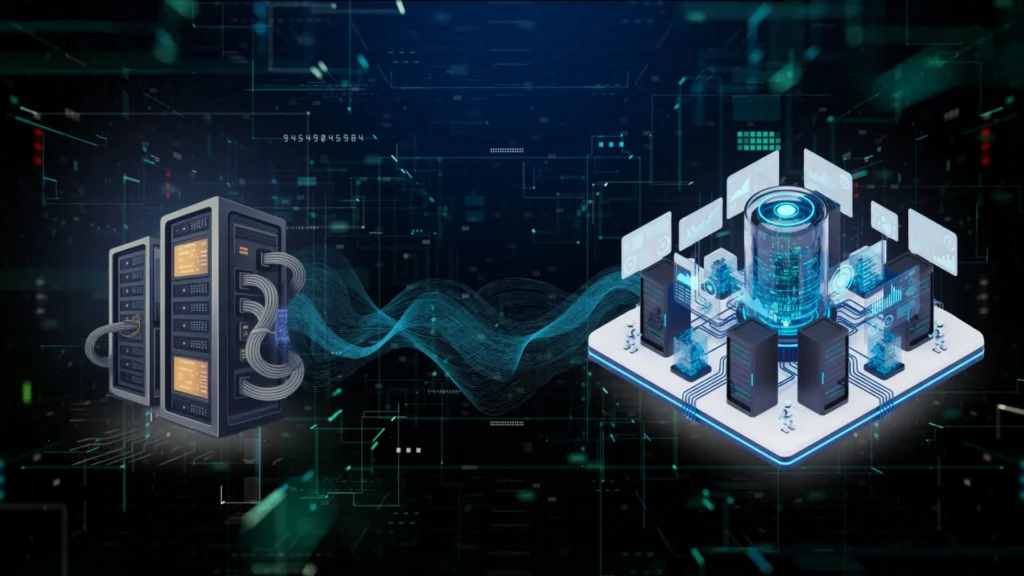
Organizations across the world are being recognized for their speed and adaptability. Legacy systems that once worked fine are now slowing down, blocking innovation and increasing the costs. Legacy system modernization has shifted from being an IT upgrade to a strategic business imperative. Companies in all sectors from healthcare and logistics to banking and manufacturing are recognizing that legacy systems restrict innovation. A Forrester study conducted in 2024 estimated that enterprises spend up to 70% of their IT budgets maintaining legacy systems which means there is no budget left for innovation. However, modernizing legacy system is not as simple as it looks, as it requires strategy, structure, and a level of expertise. Modernization is about more than keeping pace; it’s about creating the agility to scale, innovate, and adapt. By transitioning to cloud-native, API-driven architectures, organizations can reduce technical debt, unlock automation, and make smarter, data-driven decisions that shape future growth. Let’s examine why modernization is important and review the key best practices from our experts at Sparity. Why Modernize Legacy Systems? Legacy systems have existed for a long time, but the reality is that they are causing problems today, such as high long-term costs and inability to work with modern solutions. Slow speed and outdated user interfaces also reduce overall productivity. There are several reasons your company needs to modernize legacy systems- Benefits of Modernizing Legacy Systems- Now that we have looked at the issues related with using legacy systems, let’s explore some benefits related with Modernizing legacy systems- Best Practices for Legacy System Modernization We have seen the benefits of modernizing legacy systems; however, it requires strategic vision and technical precision. Here are some of the best practices we at Sparity follow. 1. Assessment & Prioritization Start by evaluating your existing systems, map each legacy application, its business criticality, dependencies, operational costs, and user pain points. Once this is done use the application dependency tools to visualize connections and identify bottlenecks. Engage with cross-functional teams like stakeholders, IT teams, and end users to accurately prioritize the list of modernization. 2. Choose Your Modernization Path Not all legacy systems need a full rewrite. We recommend using the “7 R’s” framework: 3. Incremental Implementation Modernization needs to be tackled in phases by starting with highest-impact business areas as this helps to reduce the risk, minimize disruption and enables steady progress. Adopt agile sprints for controlled rollouts and ensure parallel run environments to minimize downtime. 4. Modular & Cloud-Native Design Adopt microservices, containers, and APIs to make systems flexible, scalable, and easier to maintain. Build APIs for interoperability and adopt serverless computing (like AWS Lambda or Azure Functions) to enhance scalability. You can also choose multi-cloud or hybrid platforms for flexibility in cost. 5. DevOps & Automation Introduce automated testing, continuous integration/continuous deployment (CI/CD), and infrastructure as code to maintain quality, security, and speed. Incorporate Infrastructure as Code with AWS CloudFormation for error-free provisioning. 6. Security & Compliance First Integrate current security best practices and compliance requirements from the start. Regularly audit systems by conducting penetration testing, threat modeling, and vulnerability scanning to stay compliant. 7. Continuous Optimization Monitor performance, gather analytics, and fine-tune systems post-modernization. Leverage AI driven analytics for predictive maintenance and automated scaling. Use Cases Modernization becomes even more meaningful when you see real business impact. Here are some of the use cases from our client’s success stories Healthcare: Interactive Patient Care System A national hospital network partnered with us to modernize its legacy patient care application. Our team migrated the solution to .NET Core, reengineered workflows, and strengthened security measures. The outcome? 25% faster response times and a 50% boost in data security all with minimal disruption for caregivers. Likewise, a logistics company was held back by inflexible, outdated ERP infrastructure. Sparity implemented a phased migration to Oracle Cloud, using modular microservices and cloud-native APIs. The result: Upto 50% uptime, better scalability, and reduced operational overhead. Emerging Trends: AI, Composability & Cloud Artificial intelligence is not just confined to automation, instead it is being used to analyze codes, detect imminent failures and produce recommendations to take actions and prevent downtime. Composable architectures are starting to become mainstream, as organizations can develop modular approaches consisting of plug-and-play components, rendering innovation and flexibility faster than ever. Enhanced automation is changing the workflow, decreasing reliance on humans, and creating interactions that are smarter and more efficient. Hybrid and multi-cloud models are also providing flexibilities that have never been possible before, by creating a customized approach that weighs performance, cost, and compliance when scaling for the future. These emerging trends suggest a future where modernization is predictive, adaptive, and continuously evolving. Conclusion The future of enterprise technology will be defined by intelligence and adaptability. Modernized systems help to solve problems and create the foundations for tomorrow’s innovation. Businesses can gain the ability to respond quickly to market changes, make data-driven decisions and explore opportunities that were previously constrained by old technology. From strategic planning to phased migration and continuous optimization, we at Sparity help enterprises not just modernize, but future-proof their operations for long-term growth and resilience. Ready to transform your legacy systems? Connect with Sparity for an expert-led, tailored modernization journey that powers your next wave of growth.
How Copilot for Power BI Is Rewiring Enterprise Analytics
The success of an organization isn’t measured only by efficiency, minimal costs, and risk; it is also determined by its ability to unlock new revenue streams and gain a competitive advantage. Did you know that 62% of executives still rely more on experience and advice than on data to make business decisions? The rollout of Copilot in Microsoft Fabric was seen yet another AI evolution, but it is helping companies worldwide interact with data more insightfully. Most companies and business leaders face the same challenge: huge amounts of data, limited time, and the need for faster decisions. Now, the real advantage lies in embracing simplicity while accelerating the process. That’s exactly where Copilot comes into play, helping businesses converse with data effortlessly. Copilot helps in multiple ways right from analyzing a scenario, summarizing a report, all by working with Power BI’s semantic model. What Is Copilot for Power BI? Copilot for Power BI is an AI-infused assistant embedded throughout the Power BI ecosystem, leveraging large language models (LLMs) and data context to enable natural data interactions. It is available in several forms: Copilot is now automatically enabled and configured in new environments for both professional users and advanced creators. It writes and edits DAX queries, generates visuals “just by asking,” summarizes report pages, and offers AI-driven recommendations for decision-making. Key Capabilities Enhancing Enterprise Analytics 1. Natural Language Interaction with Data The most notable feature of Copilot is “natural language querying,” which makes data interaction intuitive. Ex- A user can simply ask, “Show me the revenue trend for Q2,” and instantly receive a clear visualization with a summary. This democratizes data by removing barriers for non-technical users, enabling faster insights and reducing backlogs for data teams. 2. Automated Report Generation and Summarization Instead of manually building complex reports, users can ask Copilot to generate report pages tailored to a specific business question or dataset. Summaries of large reports or datasets can be generated as quick snapshots of executives eliminating the need to sift through pages of visuals. This accelerates the analytics cycle and supports more data-driven conversations during meetings and strategic discussions. 3. AI-Powered DAX Query Assistance To simplify the error-prone process of writing DAX queries, Copilot leverages AI to generate, edit, and suggest DAX formulas directly within Power BI Desktop or the service, grounded in the dataset context. This helps BI professionals enhance their models, create advanced calculations, and maintain data integrity while accelerating development. 4. Cross-Dataset and Cross-Report Analytics The standalone Copilot experience enables users to query and analyze across all accessible reports, semantic models, and Fabric datasets. This holistic approach breaks down data silos, enabling a unified view for analytics across departments and functions within the enterprise. 5. Context Awareness and Intelligent Recommendations Since Copilot understands query context, data structure, and past user interactions, it effortlessly provides precise, relevant recommendations. Additionally, it can flag potential data quality issues and suggest next-best actions, helping users uncover deeper insights without needing an expert. The ROI of Implementing Copilot? A Forrester study commissioned by Microsoft has found potential results of implementing Microsoft 365 Copilot. The three-year results of a company are as follows- And the time saved by a Microsoft 365 Copilot user per month? = 9 Hours “For someone who oversees lots of different projects and workstreams, Copilot has been a game-changer. I can now get caught up quickly on meetings I can’t attend, focus on what needs my attention, and follow up efficiently “- Stanley Grant, Vice President of Engineering at Microsoft. Sparity’s role in enabling AI-Driven Power BI Success Implementing Copilot is not merely a technical enablement project. It requires organizations to clean up models, standardize governance, and train their teams on responsible AI usage. Sparity specializes in helping enterprises integrate and optimize Power BI solutions, including Copilot capabilities, ensuring seamless deployment, user training, and best practices. Sparity’s experts assist organizations in harnessing Copilot with BIport 3.0: By partnering with Sparity, your organization can unlock the full potential of AI-driven business intelligence, enhance analytics ROI, and transform how data drives growth and innovation. With our team of epxerts, enterprises can confidently navigate the AI-enabled analytics revolution. Explore Sparity’s Power BI expertise for a personalized roadmap to deploying Copilot and revolutionizing your enterprise analytics. FAQ
Tableau to Power BI Migration – Your Comprehensive Guide in 2025

Introduction: The BI Crossroads Business Intelligence platforms have become the backbone of modern decision making across enterprises. Among the most popular tools, Tableau and Power BI continue to lead the analytics landscape with their robust visualization and reporting capabilities. However, a growing number of organizations are now transitioning from Tableau to Power BI to leverage deeper Microsoft integration, improved cost efficiency, and the advantages of the Fabric ecosystem. In this blog, we will explore the key steps, features and proven strategies for migrating from Tableau to Power BI. Why Enterprises are Rapidly Moving from Tableau to Power BI? Enterprises want reporting platforms that are not only powerful but also cost-efficient, scalable, and easy for business users to adopt. For years, Tableau was the top recommendation for data visualization and reporting, but Power BI has overtaken Tableau in adoption, performance, and value delivery. Here’s why: Tableau to Power BI Migration is Accelerating: Analyst & Market Insights This migration is not just a trend, it is being established as the new norm for organizations looking for agility, cost savings, and future ready analytics. According to the 2025 Gartner Magic Quadrant for Analytics & BI Platforms, Microsoft Power BI continues to dominate as a Leader, securing the highest scores in both Ability to Execute and Completeness of Vision. This recognition isn’t just about popularity, it reflects how Power BI’s ecosystem, integration with Microsoft tools, and rapid pace of innovation make it the first choice for enterprises serious about scaling data-driven decision-making. Here’s another research from Market.us projects that the global Business Intelligence market will skyrocket to $55.48 billion by 2026. With organizations under mounting pressure to do more with less, it’s no surprise that leaders are accelerating their migration from Tableau to Power BI to capture better ROI and streamline licensing costs. Accelerate Your Tableau to Power BI Migration Our AI-powered BIPort Migration Assistant is helping global companies seamlessly transition from Tableau to Microsoft Power BI without having to worry about navigating technical and business complexities, resource constraints, heavy migration costs or even manual efforts leading to critical errors. Sparity’s BIPort does the heavy lifting of the migration process with specialized utilities for analyzing, converting and migrating Tableau reports to Power BI. AI has been at the forefront of our innovation driving the BIPort with underlying semantic models’ migration, and metadata transition for the existing reports without compromising on data integrity and security. Unlock the full potential of Power BI’s capabilities with Sparity’s BIPort Migration Assistant: The First-of-Its-Kind Solution for Automating Tableau to Power BI Reports Migration. Tableau to Power BI Pre-Migration Steps: Assessment Before migrating from Tableau to Power BI, it’s essential to conduct a thorough assessment of your current Tableau environment, including understanding the purpose, functionality, and user requirements of each report. This includes identifying data sources like databases, files, web services, and APIs. Understanding the current state of your Tableau reports will help plan a smooth transition, and gather feedback from users to ensure their needs are met. Compatibility Check To ensure compatibility between both BI tools, verify data sources, connectors, and features. Check if Power BI offers equivalent capabilities to Tableau’s features and functionalities. Evaluate the capabilities of both systems to identify potential challenges or limitations before migration. This evaluation will help identify potential limitations. Clean Up It’s essential to clean up your Tableau workbooks by removing unused data sources, calculations, or visualizations. This will make the migration process more efficient and reduce the risk of carrying over unnecessary elements from Tableau to Power BI. Optimizing your workbooks by simplifying calculations or restructuring data models can also help ensure a more streamlined migration from Tableau to Power BI Tableau to Power BI Migration Steps: Data Source Connection To migrate Data Of Tableau to Power BI , establish data source connections in Power BI. Identify Tableau’s data sources, including databases, files, and web services. Configure connections to databases like SQL Server, MySQL, or Oracle, and provide necessary credentials. Import Excel or CSV files into Power BI or establish connections. Recreate connections to web services or APIs using Power BI connectors. Use data transformation tools like Power Query to clean and prepare data for visualization.. Visualization Migration To migrate Tableau visualizations from Tableau to Power BI, create charts, graphs, and charts in Power BI that match the functionality and aesthetics of the original reports. Apply formatting and styling to maintain consistency, and implement interactive elements like drill-downs or filters in Power BI. Recreate custom calculations or expressions using Power BI’s DAX language to ensure the same logic and results as in Tableau. Testing and Validation It’s crucial to conduct thorough testing and validation. Compare key reports between Tableau and Power BI for accuracy and consistency. Involve users in User Acceptance Testing (UAT) for feedback and adjustments. Perform performance testing, especially for large datasets or complex visualizations, and optimize queries and report design for optimal performance. This phase is crucial for identifying and resolving issues before report rollout. Deployment Create a rollout plan for deployment, considering user training, permissions, and security settings. Offer training sessions to facilitate the transition from Tableau to Power BI, set up appropriate access controls, monitor usage post-deployment, and gather user feedback. Continuously improve the reports based on user experiences to enhance their usability and effectiveness. Building Reports in Power BI The process of building reports and dashboards in Power BI, and the process of rebuilding reports and dashboards for migration from Tableau to Power BI, share many similarities but have some distinct differences due to the context of migration. Data Source Connection: When building reports from scratch in Power BI, you start fresh with connecting to data. In migration, you are connecting to existing data sources used in Tableau. Rebuilding vs. Building: In migration, you are replicating what was previously done in Tableau. This can involve reverse-engineering existing reports and visualizations. Conversion of Logic: Calculations and logic implemented in Tableau need to be translated to Power BI’s DAX language during migration. Styling and Formatting: In migration, there may be an effort to match the look and feel of Tableau reports. When building from scratch, you have more freedom
Data Analytics in the Energy Sector: Unlock Real-Time Insights with Power BI

The traditional energy sector is undergoing a transformation led by data analytics, allowing energy companies to convert historical data into real-time, actionable intelligence. Energy companies, using advanced visualization tools such as Microsoft Power BI, can now effortlessly monitor, analyze and optimize operations on desktop and mobile devices. In addition to improving operational efficiency, data analytics serves as a strategic enabler enabling innovation, accelerating sustainability goals and creating data-driven growth in a changing energy landscape. Some key capabilities of big data in energy include: handling large-complex energy datasets, high-speed data processing and analysis, data mining and pattern recognition, statistical modeling and machine learning, and visualization of data and results. Challenges faced by Energy sector Energy companies have relied on legacy systems for years to collect and store operational data. These systems may include SCADA, smart meters, and various proprietary databases that can even be standalone without the ability to utilize data from other platforms. As a result, companies have struggled to achieve a unified view of operations, which has led to delayed decision-making, inability to capitalize on optimization opportunities, and increased operational risk. Legacy data is typically static, residing in archival records that are not yet in a format that can be analyzed. Because of this, it is hard to pivot rapidly to changing circumstances particularly when energy demand increases and decreases, when equipment has a failure, and/or when regulations change. The inability to work with your data and have it presented in a visual format creates inefficiencies, increased cost, and loss of competitive advantage. Key Benefits of Power BI in the Energy Sector Power BI has been named a leader in the Gartner Magic Quadrant for Analytics and Business Intelligence Platforms for 18 consecutive years, indicating dominant industry adoption and trust in enterprise analytics scenarios, including energy. • Real-Time Monitoring: Dashboards can be set to update in real time to provide immediate insight to operational performance. This can be critical in identifying and managing supply and demand, identify inefficiencies, and optimize resource allocation. • Predictive Analytics: The advanced analytics component allows energy companies to forecast future trends and better inform decisions. For example, predictive maintenance may prevent equipment failures and reduce maintenance costs. • Data Integration: Power BI integrates with other data sources, including IoT devices, SCADA systems, and ERP software, with ease to provide a single view of data across the organization. • Collaboration and Reporting: Teams can collaborate better by accessing mobile-optimized dashboards and reports that are shared by all teams that promote transparency, allowing everyone to work off the same data. • Scalability and Flexibility: Power BI is a cloud-based service with all of the capabilities and scalability of Business Intelligence, so as energy companies expand and add more data can grow with them. The software has a flexible design that allows customization based on the different needs of each business. Real-World Applications The ability of Power BI to process data in real-time is ideal for the energy industry. Additionally, Power BI works with many of Microsoft’s platforms, such as Microsoft 365 and Azure, helping energy companies to leverage their data infrastructure. Microsoft Fabric is being utilized in the energy field to observe and monitor the status of energy production, consumption, and distribution in real time (e.g., frequency, characteristics, adequacy, reliability, and distribution). For example, renewable energy companies can lean on Power BI to observe production from solar panels, wind turbines, and hydro, and discover optimization and savings opportunities at the same time. At the same time, Power BI dashboards can highlight peak demand times, consumption patterns, and savings opportunities that various organizations can use to observe, plan for future needs, reliability, and potentially realize operational efficiency. Conclusion Microsoft Power BI is a powerful tool that enables organizations to integrate, analyze, and visualize data from multiple sources, providing immediate insights and driving operational excellence. Sparity is a trusted partner in this journey, offering innovative solutions that help energy companies modernize their systems, optimize their operations, and unlock new opportunities for growth and sustainability. If you’re looking to transform your energy operations with data analytics and Power BI, Sparity is here to help. Contact us today to learn more about our energy and utilities IT services and solutions FAQ’s
Database Tuning and Infrastructure Optimization for GenAI Workloads

Client Overview The client, an American manufacturer and leader in custom packaging, integrated GenAI into their existing infrastructure to enhance customer and operational engagement. However, the increased real-time data requests led to high database latency, slower application performance, and scalability challenges during peak usage periods. Project Objectives Technology Stack Solution We re-engineered the client’s legacy database infrastructure using a cloud-native architecture designed for performance, scalability, and AI readiness. Impact & Benefits Key Highlight By transforming legacy database systems into a cloud-native, AI-ready architecture, the client established a scalable and intelligent data backbone ensuring their future Agentic AI and Generative AI applications operate with speed, stability, and precision.
How Power BI Revolutionizes Manufacturing Operations

The manufacturing industry is large and produces a massive amount of data daily, from production lines and supply chains to quality control systems. With the evolving work environment and rapid digital transformation, many manufacturing businesses are still behind in their ability to manage and leverage this data productively. Power BI is positioned to be a game-changer in this area by helping manufacturers move from reporting, based on simple spreadsheets, towards real-time, insight-based decision-making. By removing data silos across production, supply chain, and quality management; it delivers improved agility and efficiency, along with operating profit improvements through analyzed data, a visualized experience, and predictive intelligence. Why Power BI Matters in Manufacturing A recent survey by Deloitte 2023 Manufacturing Outlook found that 60% of manufacturers ranked data analytics as their number one technology priority to improve productivity in the coming 12 months. Enterprise manufacturing intelligence is on the rise, projected to grow to US$11.4 billion by 2030. But acquiring data is one thing – success is deciding what to do with that data. Manufacturing Challenges: A Real-World Scenario Let’s understand this with an example- Imagine a manufacturing company that is doing its best to compete in a rapidly changing environment. On any given day, the company can be faced with changing customer demand, surprise shortages of materials, unplanned machine downtime, and higher energy prices. Each of those challenges can disrupt the production schedule, reduce profitability and increase stress on the operations team. To make things worse, the company has data that is siloed across multiple applications such as ERP systems, IoT devices, MES, and CRM tools, and it is impossible to see operations in anything close to real time. Without some visibility, bottlenecks are missed, delays become costly, and the operations team is forced to make decisions based on “intuition” rather than evidence. How Power BI Solves Manufacturing Challenges That is where Power BI for manufacturing can help. By integrating all those data silos into a single, interactive environment, Power BI allows the team to visualize, monitor, and forecast in real time. The company can know that problems with operations are occurring, corrective action can be initiated immediately, and timely data-driven decisions are possible each we solving daily challenges that become opportunities to advance efficiency and production. Key outcomes include: • An increase in productivity efficiency 30–40% improved via predictive maintenance and real-time monitoring. • Reduced operational cost by up to 25% through energy, material, and labor optimization. • Decision-making sped up 2–3x through automated reporting and unified dashboards. Power BI Use Cases in Manufacturing Benefits of Power BI in Manufacturing Industry examples of Power BI Implementation Shanghai Volkswagen in China had to work with terabytes of manufacturing data every day. By using Power BI, the company connected directional and other business sources of data in a single link, allowing everyone in the organization access to insights and analysis, improving management and operational efficiency. Similarly, Sandvik Coromant, a leading Swedish tooling company, faced fragmented data numerous systems and depended on a heavy reliance on Excel, limiting a full picture of sales and operations. Using Power BI, they consolidated data into a single platform, which allowed the company to bring new functionalities to market faster and ensure managers received timely, accurate, and actionable data to become a data-driven business. Conclusion To summarize, Power BI can truly transform the way manufacturers can better manage their operations and successfully move toward becoming data-driven. By combining data from the shop floor to the C-Suite, Power BI offers real-time visibility into operations, predictive analytics, and consolidated dashboards that help firms address obstacles like production bottlenecks, supply chain disruptions, and quality assurance issues. Sparity’s expertise in implementing and customizing Power BI to meet user needs drove similar success for manufacturing firms. For example, Sparity was able to help a leading manufacturer become more efficient in their operations and reporting by developing very advanced Power BI dashboards to show real-time visibility to their operations and supply chains. Their team was able to identify bottlenecks, minimize downtime, and drive continual improvement by leveraging user-focused and pain-point specific analytic tools applied to their workflows. Visit sparity to get in touch and explore how we can empower your organization with advanced Power BI analytics.
Why Retail & CPG Companies Are Moving to Power BI for Smarter Forecasting
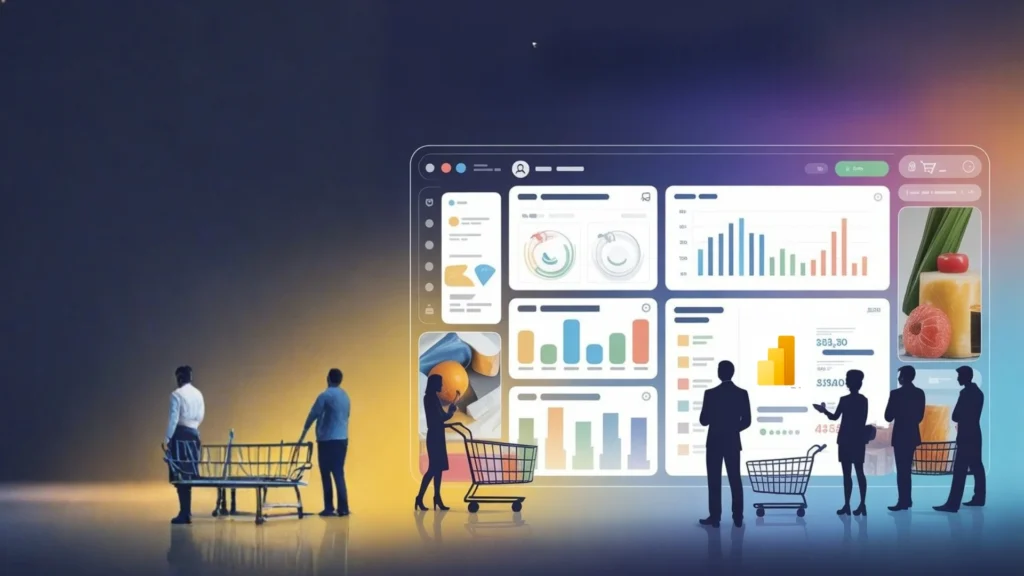
We are in an era where predicting demand is as tough as meeting it. One viral trend can flip sales overnight. Supply chains get shaken by global disruptions. Consumer preferences evolve overnight, global supply chains face ongoing disruptions, and product lifecycles are becoming shorter than ever. Traditional analytics systems are struggling to keep pace with this complexity. To compete, retailers and CPG leaders need real-time data intelligence that not only shows them their current performance, but also uses that performance to predict demand. Power BI is able bring together disconnected data into one predictive platform that enables faster data-driven decision-making thought an increasingly cyclical market. The Retail Data Reality Recent industry insights showcase the issues that are shown to modern retailers: • Mckinsey shows that over 80% of customers need personalized experiences. • Retail leaders have stated they cannot effectively personalize customer engagement due to lack of visibility into data across channel or systems. This is where Microsoft Power BI for retail digital transformation becomes a game-changer. With its ability to connect ERP, CRM, POS, eCommerce, and IoT data into one unified model, Power BI empowers retailers to: Business Impact Typically, companies utilizing this methodology see, on average, a 20-35% improvement in forecast accuracy and a 15-25% reduction in inventory carrying costs. As an example, McKinsey research found that Data-driven marketing at scale can deliver these growth – a consumer-packaged-goods (CPG) company can deliver 3 to 5 percent growth in net sales and increase marketing efficiencies by 10 to 20 percent. Key differentiators include: According to McKinsey, retailers that utilize advanced analytics and business intelligence tools can increase operating margins by as much as 60%. Simultaneously, Gartner predicts that by 2026, 75% of retail organizations will have moved from intuition-based decision-making to a data-driven decision model. Why Digital Transformation is Urgent for Retailers Retailers today can no longer depend solely on intuition. The growth of e-commerce as well as omnichannel shopping and hyper-personalized customer experiences has elevated the bar for how retail companies operate. As reported: • 80% of retailers acknowledge they do not have real-time visibility into inventory across their sale channels. • By using data analytics, retailers have a profit margin that is up to 20% greater than their competitors. • Customer-centric retailers using business intelligence tools have up to three times greater loyalty. Customer-Centric Forecasting and Insight Retailers can now forecast not only how much consumers will buy, but also what, where, and why they are buying it. By bringing together loyalty schemes, customer relationship management (CRM) systems, and behavioral data, Power BI shows: • The frequency of purchases, and customers’ lifetime value. • The movements between in-store and online shopping channels. • The bundling and co-purchase opportunities for promotions that can be deployed. For example, if you determine that customers who buy a certain beverage SKU also buy a popular bag of chips or a particular candy bar, you can cross-merchandise by placing them next to each other at the shelf. OR, if you see that a certain category of customer shows buying habits, you can locate the best-selling products at the end or other strategic space within the store. This is customer buying behavior, and translating this into an intuitive marketing campaign and supply chain forecast is invaluable. Collaboration, Mobility, and Self-Service Analytics One of Power BI’s most attractive features for retail and consumer packaged goods (CPG) organizations is the ease of which analytics are democratized. Retail and CPG organizations are adopting Power BI since it turns forecasting from relying on estimation to relying on precision. With its connected ecosystem, DA functions, and compelling visualizations, it provides leaders with the confidence to confidently take timely, data-driven actions. By bringing consumer insight, sales trends, and supply chain performance into a single, customized platform, Power BI enables smarter forecasting, more efficient operations, and a resilient growth. When combined with Azure AI and Dataverse, the result is an intelligent forecasting ecosystem where models improve automatically as new data arrives, and insights translate directly into business actions. Sparity has helped prominent retail clients transform their analytics and decision-making with custom Power BI solutions. For a large US footwear retailer, we developed interactive dashboards that combined monthly sales, inventory, and POS data. This enabled real-time visualizations, automated reporting processes, and predictive analytics to quickly identify market trends, allowing for data-driven growth. Sparity’s approach helped the organization deliver advanced insights, enhance self-sufficiency among operations staff, and drive faster, more informed decisions that positively impacted performance and profitability. Conclusion If your retail or CPG company is looking for a more intelligent and nimble approach to forecasting and performance management, work with Sparity for proven Power BI expertise. Whether it’s integrating data seamlessly, enabling self-serving dashboards, predictive modeling or AI powered insights, we can deliver the solution that meets your business problem, providing both measurable results and rapid value. Let us accelerate your analytics journey, and put the power of data influenced intelligence at the center of your decision making.
How Data Warehouse Modernization Drives Real-Time Business Growth
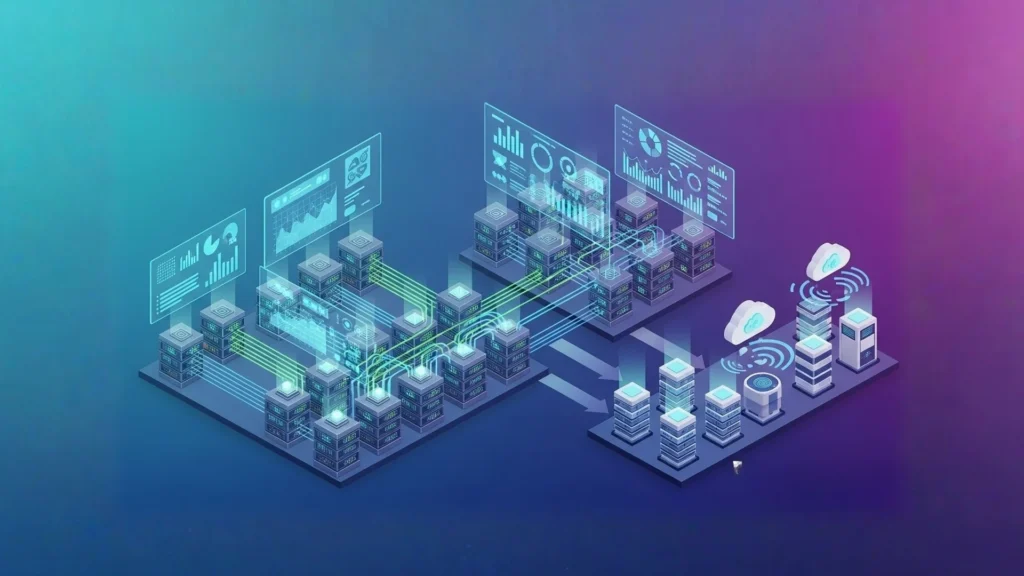
Imagine a retail chain is trying to serve personalized offers to millions of customers during the holiday season. With every click, every purchase, every social media interaction vast amount of data is generated but their old on-premises warehouse struggles to keep up. Reports are delayed, insights are reactive, and scaling up costs a small fortune. This is the sad reality for many organizations still relying on traditional data warehouses. The need is clear: data warehouse modernization isn’t just a technical upgrade it’s a business imperative. Why Data Warehouse Modernization Matters Modern businesses generate enormous amounts of data from IoT devices and sensor logs to social media feeds and transactional systems. According to S&S Insider (a market research company) – The Data Warehouse as a Service market is projected to reach USD 390 billion by 2032, fueled by the demand for scalable, cloud-based data management. In the U.S. alone, the market is expected to grow from USD 1.87 billion in 2024 to USD 10.54 billion by 2032, driven by AI/ML adoption, real-time integration, and hybrid cloud solutions. Global data is expanding at a staggering rate, with the market set to grow over 250% in the next five years. Legacy warehouses simply cannot keep pace with this scale, speed, or diversity of data. What Is a Modern Data Warehouse? A modern data warehouse is a cloud-based architecture built for today’s business intelligence and analytics requirements. Unlike traditional warehouses that just accept structured data, modern data warehouses accept both structured and unstructured data and scale seamlessly with the organization’s business needs. These systems have AI capabilities embedded, offer advanced analytics and intelligent SQL assistance, and govern automatically keeping data insight fast, smart, and easier to source. Present-day warehouses are designed to support operational reporting in real-time, incorporate machine learning operations, and be flexible without the extensive effort needed to re-architect or reorganize infrastructure. You can consolidate, reshape, and analyze data from IoT-enabled devices, social media, and operational databases, all in the same center repository. They provide exceptional performance and reliability over time, with security and governance built in, and enable organizations to manage compute resources at scale, completely separate from storage, potentially optimizing costs along the way, as well as providing better performance. Limitations of Legacy Warehouses While traditional on-premises warehouses have served businesses for decades, their limitations are now painfully clear: These constraints slow business agility, prevent predictive analytics, and leave companies reacting instead of anticipating. The Rise of Modern Data Platforms Cloud-native platforms, such as Databricks Lakehouse, are closing this gap by integrating the advantages of data lakes and data warehouses into an all-in-one architecture able to work with virtually any type of data with practically infinite scalability. Open-source models, such as Apache Spark and Delta Lake, unlock real-time processing, machine learning compatibility, and advanced analytics capabilities from a singular platform. Key benefits include: Sparity in Action: Modernization That Delivers Results At Sparity, modernization is a proven, client-centered process. Let’s take a recent example- One of our retail client struggled with delayed reporting and siloed data sources approached us. We evaluated their legacy infrastructure, developed a fully custom, cloud-first architecture, and executed scalable pipelines that combined a real-time flow of social information, sales data and Internet of Things (IoT) data. The results? Our process follows a clear framework: With Sparity, organizations gain predictive analytics, continuous value from their data, and faster, lower-risk deployment. Business Value and ROI Modernization delivers tangible ROI: Key Takeaways The contemporary data warehouse goes beyond being a mere repository; it serves as your base for business agility, advanced analytics, and innovation. As data continues to double approximately every few months, current legacy systems are continually incapable of providing real-time insights, AI-based decisions, and immediate scalability. Modernization is not really about the replacement of what you have; it is about discovery and enabling what your data can do for you. At Sparity, we do not believe in one-size fits all transformations. We work alongside you in all aspects of your journey for modernization from assessment, migration, integration, and governance to ensure your journey is seamless, secure, and aligned with your business goals. Our experts specialize in developing solutions that not only reduce costs but simultaneously enable your teams to work faster with actionable intelligence. If you’re ready to turn your data into a growth engine, explore our Data Engineering Services
Sparity’s Team Showcases Expertise at NASSCOM Agentic AI Confluence 2025

Bangalore, India – October 7, 2025 – Sparity, a leader in digital enterprise transformation and AI solutions, is excited to announce the engagement of its team at the NASSCOM Agentic AI Confluence 2025 in Bangalore. The theme of the conference, “Agents that Explore, Explain, Execute,” addressed the journey from pilot projects to architecting the autonomous future while bringing together innovative thinkers and leaders pioneering the next era of Agentic AI. During the Confluence, the Sparity team explored emerging concepts and tools redefining the AI landscape. The event highlights included the Agent Development Kit (ADK) for seamless agent orchestration, the Model Context Protocol (MCP) for standardizing interactions with enterprise data, A2A (Agent-to-Agent) collaboration, Vibecoding for multimodal agent behavior, and advanced AI performance optimization techniques. These sessions provided valuable insights into intelligent automation, enterprise efficiency, and AI-driven transformation strategies. By representing Sparity at this significant forum, the team showed our commitment to innovation, thought leadership, and responsible AI practices. Further, participation allowed for networking with various industry leaders, sharing views on the evolution of autonomous, intelligent systems. Sparity remains dedicated to advancing intelligent automation and enterprise AI solutions, leveraging insights from such events to deliver smarter, faster, and more secure outcomes for its clients. Explore BIPort 3.0 – Sparity’s Power BI Migration Accelerator for seamless BI modernization. For more information about Sparity’s AI solutions and initiatives, please subscribe to our newsletter
How to Build a Data Governance Framework That Works or Enterprises of All Sizes

Data governance is a core element of effective data management and digital transformation, providing a framework of principles, policies, and processes that enable organizations to manage, protect, and maximize the value of their data assets. The need for data governance stems from a firm’s need to maintain data quality, security and visibility for sustainable operations. Critical aspects of digital transformation including compliance, risk management, data privacy, and operational efficiency are rooted in effective governance policies A robust data governance framework is imperative for planned and improved decision making. It is not only important for developing data management goals, but also establishing core ownership of the company’s data. Being a strategic asset for future, Data governance architecture is an ever-evolving pillar of business strategy, with additional benefits such as enhanced operational efficiencies, improved risk management and greater transparency & accountability. As organizations generate and consume data at unprecedented volumes, governance will move beyond rigid policies to become more adaptive, automated, and intelligence-driven. Traditional Governance Outlook Being a critical enabler of innovation, efficiency, and trust, traditional governance models have continually met the need for data security and management since the time of early development in the data and technology fields. Conventional data governance typically follows a top-down model, with decisions and policies directed by senior management. This centralized methodology is standardized by senior leadership, is set with risk in mind, as opposed to innovation and integrated development. A typical method includes setting up a governing body within a firm for data governance oversight. In the context of today’s evolving business management styles, these governance models often exhibit inflexibility, limiting operational staff from sharing ideas upward in the management hierarchy. This rigidity stalls organizational progress and can lead to disengagement of staff. Holistic data governance recognizes and incorporates the insights of employees across all levels—from frontline staff to senior leaders—while aligning these perspectives to function collaboratively and support organizational goals. In modern data-driven organizations, traditional governance perspectives do not contribute extensively to bridging the gap between IT and business objectives. Considerations for a Successful Framework A successful data governance framework incorporates best practices that enable organizations to adapt to rapid changes in modern business environments. The definition of an evolved DG Framework differs by institution and is also advancing along with maturation of data governance matures. As per the McKinsey Data Governance Framework, an ideal framework should be founded on four main pillars: A Modernized Approach in Governance According to Gartner ‘Most Organizations have experience data governance issues primarily stemming from compliance audits’. Post implementation, businesses can utilize new tools and regulations to continually monitor executed procedures, and integrate governance into change management. Trends in Data Governance Future- Ready Governance Gartner Reports suggest that ‘Over the next 12 months, 78% plan to increase their investment in data governance’ Data governance of the future is evolving from a compliance-driven function into a strategic enabler of innovation, trust, and competitive advantage. Future-ready frameworks will rely heavily on automation, AI, and machine learning to classify data, monitor usage, detect anomalies, and enforce policies with minimal manual intervention. Shifts in data governance models indicate that future frameworks will move beyond enforcing traditional policies to also integrate customer insights, product innovation, and risk management. An increased emphasis on data ethics, privacy, and responsible AI will define the next wave of governance. To stay aligned with emerging technologies and changing regulations, data governance teams must engage in ongoing training. Continuous learning is vital for sustaining effective governance practices. Conclusion Building a data governance framework that truly works involves creating a living, adaptable system that balances business control with agility, rather than relying solely on rigid rules. Embedding data governance in the businesses culture ensure that all staff in a firm understanding the significant of data quality, security and governance. Implementing an effective governance framework requires a strategic shift toward prioritizing data literacy in both data management and policy adherence. By aligning governance with business objectives and adopting a forward-looking, flexible approach, enterprises can not only protect their data but also unlock its full potential as a driver of innovation, efficiency, and competitive advantage.